
## Inspecting the Exterior: A Visual First Impression
So, you’ve found a used camera drone that catches your eye. Before you get swept away by the allure of aerial photography or videography, your very first step in this pre-purchase investigation is a thorough visual inspection of the drone’s exterior. This isn’t just about aesthetics; it’s about spotting potential damage, wear and tear, and subtle signs of neglect that could translate into costly repairs down the line. Think of yourself as a detective, meticulously examining every crevice and surface for clues.
### The Drone Body: Cracks, Scratches, and Structural Integrity
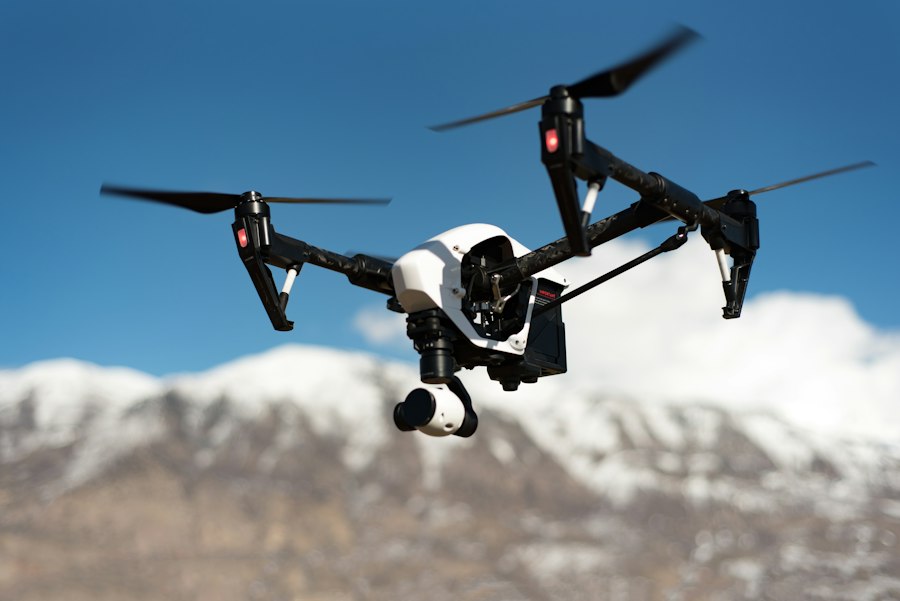
Begin by holding the drone in your hands, if possible, or examining it closely in high-resolution photos and videos. Rotate it slowly, paying attention to the main body. Look for any signs of impact. Even minor cosmetic scratches can be indicative of rough handling. Deeper gouges or cracks are a serious red flag. These could compromise the structural integrity of the drone, making it more susceptible to damage during flight, especially in windy conditions. Check all the landing gear for bends, breaks, or missing pieces. A drone that doesn’t sit level on its landing gear is already at a disadvantage. Also, inspect the arms that hold the propellers. Are they straight and firmly attached? Any wobbling or visible separation is a definite cause for concern. Pay close attention to the area where the arms meet the main body; this is a common stress point.
### Gimbal and Camera Mount: Stability and Freedom of Movement
The gimbal is the heart of your drone’s camera system, responsible for smooth, stabilized footage. Give it a gentle wiggle – it should feel secure but also have a full range of motion. Look for any signs of bending, cracking, or loose components on the gimbal structure itself. Ensure the camera is securely mounted. If it’s an interchangeable lens camera, check the lens mount for any damage or warping. Then, manually move the gimbal through its full pitch and roll axes. It should move smoothly without any grinding, sticking, or unnatural resistance. If you can, power up the drone briefly (more on that later) and see if the gimbal calibrates correctly and stabilizes. Any jerky movements or failure to level out are strong indicators of a problem.
### Propellers and Motors: Signs of Past Encounters
Your propellers are the first line of defense against accidents. Inspect each one meticulously. Look for chips, cracks, or significant bends. Even small damage to a propeller can disrupt its balance, leading to vibrations, reduced flight efficiency, and potentially catastrophic failure in the air. Check for any signs that the propellers might have struck something hard – this is often indicated by nicks or scuffs. Next, examine the motors themselves. Are they clean? Are there any signs of overheating, such as discoloration or melting of plastic components? Gently try to rotate each motor shaft by hand (with propellers removed, if possible and safe to do so). It should spin smoothly and quietly. Any grinding, clicking, or stiffness suggests internal damage to the motor bearings or windings, which can be an expensive fix.
Before purchasing a used camera drone, it’s essential to consider various factors to ensure you make a wise investment. For additional insights on selecting durable and practical gear, you might find it helpful to read the article on the best silicone rings for men, which discusses ideal options for construction workers, firefighters, and service personnel. This article can provide valuable information on choosing reliable accessories that can withstand demanding environments. You can check it out here: best silicone rings for men.
## Powering Up: Essential Electrical and Battery Checks
Once you’ve satisfied yourself with the drone’s physical condition, it’s time to move on to the electrical systems and, crucially, the battery. This is where you’ll start to get a feel for the drone’s operational health. Without power, many issues will remain hidden, so this stage is vital.
### Battery Health: Lifespan and Physical Condition
The battery is arguably the most critical – and often most expensive – component of a drone. If you can, ask to see the battery’s health report, often accessible through the drone’s companion app or software. This report will usually show the number of charge cycles and the current battery capacity relative to its original capacity. A high number of charge cycles (often exceeding 200-300 for many drone batteries) or a significantly degraded capacity (below 70-80%) means you’ll likely need to replace the battery soon, adding to your overall cost. Physically inspect the battery itself. Look for any swelling, bulging, or damage to the casing. A swollen battery is a fire hazard and should be avoided at all costs. Check the contacts for corrosion or damage.
### Controller Functionality: Buttons, Joysticks, and Connectivity
The controller is your direct interface with the drone, so its functionality is paramount. If possible, hold the controller and test every button and switch. Do they all click with a satisfying tactile response? Are any loose or unresponsive? Pay particularly close attention to the control sticks. Do they move smoothly through their full range of motion? Is there any “drift” or unintentional input when you release the sticks? This is a common problem that can make precise flying very difficult. If the controller has a built-in screen, ensure it’s bright, clear, and free of dead pixels. If it’s designed to hold a smartphone, check that the clamp is secure. Also, inquire about the charging port on the controller and ensure it’s not damaged.
### Flight Controller and GPS Signal Acquisition
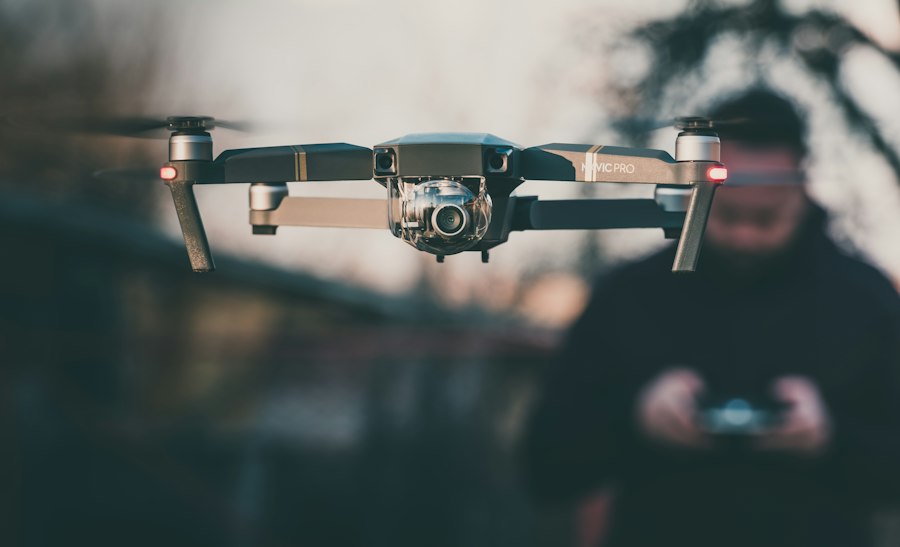
If you have the opportunity to power up the drone in a safe, open area, this is your chance to test the flight controller and GPS. Turn on the drone and controller and observe the startup sequence. Does the drone connect to the controller promptly? If the drone has a screen or you’re using a companion app, check if it acquires a strong GPS signal quickly. A drone that struggles to find satellites or shows an erratic GPS lock may have antenna issues or firmware problems. You can often see the number of satellites acquired in the app. A minimum of 8-10 satellites is generally considered good for a stable flight.
## Software and Firmware: The Digital Brains of the Operation
While the physical components are crucial, the software and firmware are what bring the drone to life and dictate its performance and capabilities. Neglecting this aspect can leave you with a drone that’s outdated, buggy, or even unusable for your intended purposes.
### Firmware Version and Update History
Ask the seller about the current firmware version installed on both the drone and the controller. Check if the firmware has been updated regularly. Un-updated firmware can lead to performance issues, connectivity problems, and may even prevent you from accessing newer features or flying in certain “geo-fenced” areas. If the seller can provide a log of firmware updates, that’s even better. You can then cross-reference this with the manufacturer’s website to ensure everything is up-to-date and that there are no known outstanding issues with that specific firmware version.
### Calibration Status and Error Logs
Many drones require periodic calibration of sensors like the IMU (Inertial Measurement Unit) and compass. Ask if these calibrations have been performed regularly and if there are any error messages related to calibration in the drone’s system logs. If the seller has access to the drone’s internal logs, try to review them for any recurring error codes or warnings. These can indicate underlying hardware or software issues that might not be immediately apparent. A drone that consistently fails calibration is a major concern.
### Flight Modes and Intelligent Features Functionality
Most modern camera drones come equipped with various intelligent flight modes, such as Return-to-Home, ActiveTrack, Waypoints, and various cinematic modes. If possible, ask the seller to demonstrate at least one or two of these features during a brief, controlled test flight. Observe if the drone executes these modes as expected. For instance, does the Return-to-Home function work reliably, bringing the drone back to its takeoff point? Does the obstacle avoidance system (if equipped) react appropriately to simulated obstacles? The smooth and accurate functioning of these features is a good indicator of the overall health of the drone’s software and its sensors.
## Flight Performance and Sensor Data: Putting it to the Test
This is where you get to see the drone in action. Ideally, you’ll want to conduct a brief test flight yourself in a safe, open area. If that’s not possible, ask the seller to perform one for you, and observe closely. This is your opportunity to gauge how the drone handles, how well its sensors are functioning, and to identify any unusual behaviors.
### Stability and Control Responsiveness
During the test flight, pay close attention to how the drone handles. Does it fly smoothly and steadily, or does it feel jerky or unstable? Does it hold its position well when you let go of the controls? Is the response to your stick inputs immediate and precise, or is there a noticeable lag? Hover the drone at different altitudes and observe its behavior. Gently try some basic maneuvers like forward, backward, and sideways flight, as well as rotations. Any wobbling, drifting, or unexpected pitching or rolling are signs of potential issues with the flight controller, motors, or even GPS reception.
### Camera Quality and Gimbal Performance in Flight
While the drone is in the air, it’s time to assess the camera. If the drone is equipped with a live video feed to your controller or a smartphone app, use this to its full potential. Is the video feed clear and crisp? Are there any artifacts, dropped frames, or connectivity issues? Pan and tilt the camera. Does the gimbal keep the footage smooth and stabilized, even during slight movements of the drone? Try recording a short video clip. Review it later for any signs of jello effect (vibrations), focus issues, or color distortion. If the camera has manual controls, test them out to see if they are responsive.
### Obstacle Avoidance and Sensor Functionality
If the drone is equipped with obstacle avoidance sensors, this is a critical time to test them. In a controlled environment, slowly fly the drone towards a soft, inanimate object (like a pillow or a large cushion) at a slow speed. Observe if the drone detects the obstacle and stops or navigates around it as designed. Do this from different angles. Also, consider the overall sensor suite. If the drone has features like downward-facing sensors for landing or altitude hold, ensure these are functioning as expected. A malfunctioning obstacle avoidance system can be incredibly dangerous and lead to costly crashes.
When considering the purchase of a used camera drone, it’s essential to be well-informed about various factors that can affect your decision. A related article that provides valuable insights into making thoughtful purchases during the holiday season is available at this link. You can explore the top options for gifts, including items like drones and other tech gadgets, which can enhance your understanding of what to look for in quality products. For more information, check out the article on top Christmas bows and bestsellers.
## Documentation and Accessories: The Complete Package
| Check Item | Description | Recommended Action |
|---|---|---|
| Physical Condition | Inspect for cracks, dents, or damage to the body and propellers. | Reject or negotiate price if significant damage is found. |
| Battery Health | Check battery charge cycles and overall battery life. | Request battery health report or test flight duration. |
| Flight Time | Verify actual flight time matches manufacturer specifications. | Test fly to confirm performance. |
| Camera Quality | Check camera lens for scratches and test video/photo quality. | Request sample footage or photos. |
| Firmware Version | Ensure the drone has the latest firmware installed. | Update firmware if outdated. |
| Controller Functionality | Test all buttons, sticks, and connectivity with the drone. | Verify full control responsiveness. |
| GPS and Sensors | Check GPS lock and sensor calibration status. | Perform calibration if necessary. |
| Flight Logs | Review previous flight logs for any crash or error reports. | Ask seller for flight history details. |
| Spare Parts Availability | Confirm availability of replacement parts like propellers and batteries. | Check with manufacturer or third-party suppliers. |
| Price Comparison | Compare price with new models and other used drones. | Ensure price reflects condition and market value. |
Finally, before you hand over your hard-earned money, make sure you’re getting the complete package. The physical drone is one thing, but the accompanying documentation and accessories are just as important for a smooth ownership experience and to understand the full value of your purchase.
### Original Packaging and User Manuals
Does the seller still have the original box and packaging? While not strictly essential for flight, it’s a good sign of a meticulous owner and can be helpful if you ever need to transport or ship the drone. Crucially, ask for the user manuals – both for the drone and the controller. These are invaluable resources for understanding the drone’s capabilities, features, safety guidelines, and troubleshooting common issues. If the manuals are missing, you can usually download them from the manufacturer’s website, but having the physical copies is always a plus.
### Included Batteries, Chargers, and Extra Parts
Confirm exactly what accessories are included with the drone. This typically includes at least one battery, a charger, and potentially a set of spare propellers. If multiple batteries are included, check the health of each one as described in the earlier section. Does the charger work correctly? Are there any signs of damage to the charging cables or adapters? Inquire about any spare propellers, propeller guards, or landing gear that might be included. These are valuable extras that can save you money and hassle in the long run.
### Proof of Purchase and Warranty Information
This is a critical step, especially if the drone is still under warranty. Ask for proof of purchase, such as a receipt or invoice. This is essential for any warranty claims you might need to make in the future. If the drone is still within its manufacturer’s warranty period, inquire about the remaining warranty duration and what it covers. Understand the transferability of the warranty, as some manufacturers may require the original owner to be involved in a transfer. Even if the warranty has expired, proof of purchase can still be useful for identifying the exact model and serial number for future reference.
FAQs
What are some important factors to consider before buying a used camera drone?
– Condition of the drone
– Flight time and battery life
– Camera quality and functionality
– Controller condition
– Any previous repairs or modifications
Why is it important to check the condition of the drone before purchasing?
Checking the condition of the drone ensures that it is in good working order and will not require immediate repairs or replacements, saving you time and money in the long run.
What should I look for in terms of flight time and battery life?
It is important to check the flight time and battery life of the used camera drone to ensure that it meets your needs and expectations. A longer flight time and battery life will allow you to capture more footage without constantly needing to recharge.
How can I assess the camera quality and functionality of a used camera drone?
You can assess the camera quality and functionality of a used camera drone by testing it out before purchasing. Check for any issues with the camera lens, image stabilization, and video recording capabilities to ensure that it meets your requirements.
Should I inquire about any previous repairs or modifications done to the drone?
Yes, it is important to inquire about any previous repairs or modifications done to the drone as this can affect its performance and reliability. Knowing the history of the drone can help you make an informed decision before purchasing.