
The Genesis of Clean: Understanding Your Self-Washing Robot Mop
You’ve made a smart investment. Your self-washing robot mop isn’t just another gadget; it’s a tireless, often invisible, assistant dedicated to keeping your floors sparkling. Unlike traditional robot vacuums, these sophisticated devices don’t just pick up dust; they actively clean, scrub, and then clean themselves. This dual functionality is precisely what makes them so appealing, yet also introduces a new layer of maintenance considerations. To truly get the most out of your robotic companion, you need to understand its fundamental operations and, more importantly, its unique requirements for upkeep.
Imagine your robot as a tiny, highly efficient cleaning crew. It has a brain (the onboard computer), eyes (sensors), legs (wheels), and, crucially, hands (the mop pads) and a self-contained washing station. The magic lies in this station. After a cleaning cycle, or sometimes even mid-cycle, your robot intelligently returns to its base. Here, fresh water is often sprayed onto its dirty mop pads, which are then scraped, agitated, or spun against a textured surface, effectively washing away the accumulated grime. The dirty water is then suctioned into a separate tank, leaving the mop pads relatively clean and ready for the next task. Some advanced models even feature hot water washing or air drying capabilities, further enhancing hygiene and preventing mildew.
Understanding this core process is your first step towards demystifying maintenance. Every component involved in this self-washing cycle – from the water tanks and their filters to the mop pads themselves and the scraping mechanism – will eventually require your attention. Neglecting these areas won’t just lead to suboptimal cleaning; it can shorten the lifespan of your device and even foster unpleasant odors or microbial growth. Think of it this way: your robot is cleaning your floors, but who’s cleaning the cleaner? That’s where you come in, ensuring its internal ecosystem remains as pristine as the floors it leaves behind.
The Anatomy of Automated Cleaning
Before delving into the specifics of maintenance, let’s briefly dissect the key components that enable your robot’s self-washing prowess. Knowing these parts will make subsequent maintenance instructions much clearer.
Water Tanks: The Lifeblood of Cleanliness
Most self-washing robot mops come with at least two water tanks: a clean water tank and a dirty water tank. The clean water tank holds the fresh water (and sometimes cleaning solution) used to dampen the mop pads and for the self-washing cycle. The dirty water tank collects the soiled water after the pads have been cleaned. The capacity of these tanks varies significantly between models, impacting how often you’ll need to refill and empty them. Some advanced systems might also incorporate a third tank for a cleaning solution or a dedicated drying tank.
Mop Pads and Their Mounts
These are the direct contact points with your floor. Mop pads are typically made of microfiber or other absorbent materials designed to pick up dirt and moisture effectively. They are usually detachable, either magnetically or with Velcro, making them easy to remove for deeper cleaning or replacement. The mounts themselves, which hold the pads in place and often rotate or vibrate them during cleaning, are also crucial.
The Washing Station Components
This is where the magic happens. The washing station, integrated into the robot’s docking base, typically includes:
- Washing Tray/Scrubbing Area: This is the surface against which the mop pads are cleaned. It might have brushes, textured ridges, or spinning mechanisms.
- Dirty Water Suction Port: A channel or nozzle that pulls the dirty water from the washing tray into the dirty water tank.
- Clean Water Dispenser: Sprays or dispenses clean water onto the mop pads during the self-washing cycle.
- Air Drying Vent (Optional): If your model features air drying, there will be a fan and vent system to dry the mop pads.
Sensors and Filters
Your robot is equipped with various sensors – obstacle detection, cliff sensors, mapping sensors – that guide its movement. While not directly involved in the self-washing process, their proper functioning ensures the robot reaches its base reliably. Within the water tanks, you’ll often find filters (e.g., sediment filters, sponge filters) designed to prevent debris from entering the pump mechanisms.
If you’re considering investing in a self-washing robot mop, you might also be interested in exploring how other innovative cleaning technologies can enhance your home maintenance routine. A related article that provides insights into the best paddleboards available in the USA can be found here: Top 10 Best Paddleboards USA – Latest Bestsellers. While paddleboards may not directly relate to mops, both represent advancements in their respective fields that aim to simplify and improve our leisure and cleaning experiences.
Daily Routines for Optimal Performance
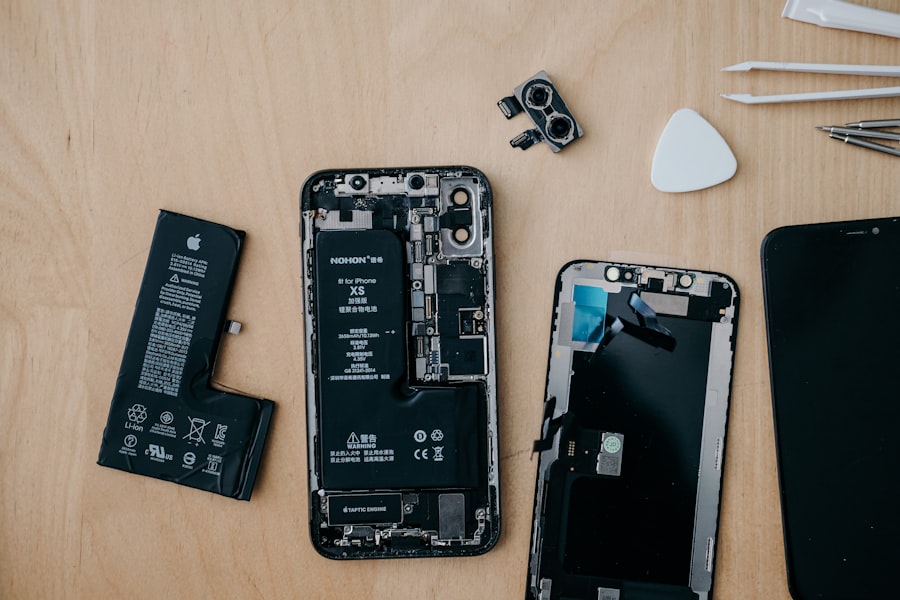
Think of daily maintenance as a series of quick, proactive checks that prevent minor issues from escalating into major headaches. These simple habits will ensure your robot is always ready for its next cleaning mission and operates at peak efficiency. Neglecting these daily tasks is akin to letting your car run out of gas or oil – it’s a sure path to diminished performance and potential damage.

- 12,000Pa Ultra-Strong Suction – The Lefant M3 robot vacuum and mop Combo delivers hyper-powered suction, effortlessly lifting pet hair, dust, and debris from hard floors, tiles, and carpets, leaving no speck behind
- Hands-Free Docking Station – Enjoy complete automation with our 8-week 3.2L dustbin, 2.5L water tank, and 45° hot water mop washing. Features auto cool drying to prevent mop pad warping and built-in detergent dispensing for lasting freshness. All with zero effort
- Slim Design & Freemove Tech Obstacle Avoidance – At just 3.8" tall and 12.6" wide, the robot vacuum cleaner glides effortlessly under furniture while its compact base tucks neatly under cabinets, featuring advanced Freemove Tech 3.0 that precisely dodges furniture, cords, and stray shoes while automatically avoiding stairs and tight spaces, it even learns no-go zones to prevent getting stuck, delivering complete cleaning coverage without the babysitting and ensure uninterrupted cleaning
- Tangle-Free Brush System – The Lefant M3 features a specially designed V-shaped dual-comb brush that actively gathers and cuts through hair, preventing clogs and tangles. Perfect for pet owners, this robot vacuum delivers seamless daily cleaning. Say goodbye to hair wrap frustrations forever
- Smart Carpet Protection System – The robotic vacuums automatically lifts its mop 9mm to protect carpets or removes completely for deep cleaning. Customize through the Lefant App with specialized modes: Mop Lift, Turbo Carpet Mode (with boosted suction), Vac+Mop Combo, Carpet Avoidance, or Carpet Priority Cleaning, plus set no-mop zones to keep rugs perfectly dry

- 90-Day Hands-Free Cleaning: The 3L self-emptying dustbag holds weeks of debris, eliminating the need for frequent emptying. Enjoy effortless maintenance with this robot vacuum self-emptying
- 6000Pa Ultra-Strong Suction: The L8000 Plus Robot Vacuum effortlessly lifts debris, pet hair, and deep-seated dirt from floors & carpets. It will automatically increase suction to 6000 Pa(Max) on the carpet
- 360° LiDAR Navigation & Smart Mapping: Equipped with advanced LiDAR technology, the robot vacuum and mop scans your home in 360° and creates maps. It intelligently avoids obstacles like walls, stairs, ensuring no missed spots or repeated passes. Multi-floor maps(5 Max) can also be saved for seamless cleaning
- 2-In-1 Sweeping & Mopping: Sweepping, Mopping and Self-emptying in one device. Customize cleaning with 3 suction levels & 3 water flow settings for all floor types(In mop mode, please remove the mop holder or establish a no-go zone to prevent the vacuum from dirtying your carpet)
- Convenient App & Voice Control: You can customize no-go zones and no-mop zones, set up virtual walls, schedule cleaning, select specific rooms or areas to clean, and adjust the water level and suction power according to your individual cleaning requirements. This makes smart home cleaning a breeze. It can also work with Alexa, supports 2.4Ghz & 5Ghz WI-FI

- 12,000Pa Super Suction – The Lefant M3 delivers hyper-powered 12,000Pa suction to lift embedded dirt, pet hair, and stubborn debris from carpets, rugs, hardwoods. Optimized airflow ensures thorough cleaning in tight corners and under furniture for a spotless home
- 90 Days Self-Emptying - The robot vacuum enjoys up to 90 days of hands-free cleaning with 3.2L dust bag. The Strong suction vacuum base station efficiently empties the collected dirt and debris into the dust bag, ensuring uninterrupted cleaning sessions
- All-in-One Smart Dock with Cool Air Drying - The Robot Vacuum Mop with 45° hot water to deeply dissolve grease and grime, paired with gentle cool air drying to prevent mop deformation from high heat. The water tank for uninterrupted mopping across 2,366 sqft (220 m²) — perfect for large homes.
- Support Dual-Band WiFi (2.4GHz/5GHz): Auto-switching ensures stable connectivity for uninterrupted cleaning. The 2.4GHz band provides whole-home coverage, while the 5GHz band enables high-speed control. No more dropouts! The system continuously monitors network conditions, optimizing performance in real-time to avoid interference and congestion
- Long-Lasting 5,200mAh Battery – Robot Vacuum Clean for up to 220 minutes at whisper-quiet levels that won't disturb sleep, with 30% faster charging. Smart energy-saving tip: Schedule charging during off-peak hours for maximum efficiency

- 【Advanced dToF Navigation Technology】: Lefant T1 emits infrared light outward, and then reflects it to the end of the camera when it encounters an object. From this distance, the time difference or phase difference from the emission to the reflection back to the camera is calculated to obtain a three-dimensional and accurate 3D composition: precise composition, precise cleaning, no dead space, and deep cleaning of the whole house.
- 【Self-cleaning Base Station】Lefant T1 mopping robot features a professional mopping function, after mopping, the robot automatically returns to the charging dock to clean the mop cloth through a self-cleaning base station that utilizes hot air drying.
- 【Adjustable 4 levels of backwashing】Lefant T1 has 4 levels of backwashing frequency, 5, 10, 15 mins, and the mop cloth is cleaned with 40°C hot water. If you want to clean your home deep once a week, select the frequency for 5 minutes, and T1 will automatically return to the base station every 5 minutes to clean the mop. Only when the mop is clean can the floor be as clean as new.
- 【Water Shortage Alarm】Clear water tank water shortage alarm and sewage tank full water alarm, the high-definition display screen displays the machine status in real-time, so you don’t have to worry about whether the machine needs to be filled with water or whether the sewage needs to be dumped.
- 【Ultrasonic Carpet Recognition】: When encountering a carpet, it will reverse the cleaning direction, not on the carpet, more intelligent and more secure, 180 rpm high-speed rotation, deep cleaning, and strong decontamination.

- 20,000Pa Super Suction – The Lefant M3 Max delivers hyper-powered 20,000Pa suction to lift embedded dirt, pet hair, and stubborn debris from carpets, rugs, hardwoods. Optimized airflow ensures thorough cleaning in tight corners and under furniture for a spotless home
- 90 Days Self-Emptying - The robot vacuum enjoys up to 90 days of hands-free cleaning with 3.2L dust bag. The Strong suction vacuum base station efficiently empties the collected dirt and debris into the dust bag, ensuring uninterrupted cleaning sessions
- All-in-One Smart Dock with Cool Air Drying - The Robot Vacuum Mop with 45° hot water to deeply dissolve grease and grime, paired with gentle cool air drying to prevent mop deformation from high heat. The water tank for uninterrupted mopping across 2,366 sqft (210 m²) — perfect for large homes.
- Long-Lasting 5,200mAh Battery – Robot Vacuum Clean for up to 220 minutes at whisper-quiet levels that won't disturb sleep, with 30% faster charging. Smart energy-saving tip: Schedule charging during off-peak hours for maximum efficiency
- Support Dual-Band WiFi (2.4GHz/5GHz): Auto-switching ensures stable connectivity for uninterrupted cleaning. The 2.4GHz band provides whole-home coverage, while the 5GHz band enables high-speed control. No more dropouts! The system continuously monitors network conditions, optimizing performance in real-time to avoid interference and congestion

- 【up to 75 days hands-free cleaning】Bag-Compatible Self-Emptying Station.Lefant M2 Plus robot vacuum comes with 2x2.5L capacity dust bags, which enables "long-cycle" maintenance.The auto-empty function guarantees the robot's small dustbin is empty before each job.This ensures suction power remains consistently strong
- 【6000Pa Hyper Suction】The M2 Plus robot vacuum cleaner can provide a powerful 6000Pa suction, effectively cleaning hair and debris from hardwood, tiles and carpets.It consists of a 250ml dustbin and a 300ml water tank,with 3 suction levels & 3 water flow. Enjoy complete floor care with with vacuuming and mopping.
- 【LiDAR Navigation & Multi-Floor Mapping】 With advanced 360° LiDAR navigation, Lefant M2 Plus quickly scans and accurately maps your home for efficient cleaning, automatically creating multi-level maps, and intelligently planning cleaning routes to minimize unnecessary repetition or missed spots
- 【Precision Detection & Avoidance & Pet-Friendly Design】The laser robot vacuum cleaner features 190° wide detection angle, powered by advanced PSD technology. It accurately detects and avoids objects as close as 1.6 inches away, ensuring better collision prevention and maintaining cleanliness, even in the dark. Designed specifically for pet owners, it effectively removes pet hair and prevents robot from getting stuck.
- 【3-in-1 Sweeping, Vacuuming, and Mopping Function】Combines vacuuming, sweeping, and mopping into one device for effortless all-around floor care. Enjoy deep cleaning without the need for separate tools, intelligently adapting to different floor types and dirt levels. Free up your hands and enjoy convenience.

- 🐾【360° LiDAR Precision Mapping and Navigation】 The Lefant M2 Plus robot vacuum cleaner uses the most advanced LiDAR mapping technology to scan and identify various complex home layouts at 360°, LiDAR quickly maps your home, avoids obstacles and cleans in neat rows, even in the dark and intelligently planning cleaning routes to minimize unnecessary repetition or missed spots.
- 💪【6000Pa Super Strong Suction】Robot Vacuum with 6000Pa Suction features a roller brush – Easily picks up debris, hair, and dust from floors and carpets. It consists of a 250ml dustbin and a 300ml water tank. Features app-controlled 3-level water flow for customized cleaning by room, adapting to floor types and dirt levels for a deep, hassle-free clean. Perfect for effortless, spotless floors.
- ⚡ 【Self-Empty】Lefant M2 Plus robot vacuum comes with a self-empty station and 2x2.5L capacity dust bags. can handle dust and debris for up to 75 days, letting you say goodbye to traditional frequent garbage disposal,eliminating frequent manual disposal. Simply purchase our sealed dustbags (sold separately) for odor-free convenience
- 🔄【Carpet Detection & Auto Boost】The M2 Plus robotic vacuum features advanced carpet detection, allowing it to expertly avoid carpets when the mop holder is attached, keeping them dry and spotless. When the mop holder is removed, it automatically boosts suction to maximum for a deep, efficient clean. This effortless transition ensures comprehensive cleaning across all surfaces, making the M2 Plus the perfect choice for homes with diverse flooring.
- ✅【Precise Navigation · Smart Avoidance】Equipped with dToF navigation + 190° omnidirectional PSD obstacle avoidance, fast mapping, and accurate path planning. Freemove full-body sensing technology ensures smooth maneuvering around obstacles, handling complex environments with ease.

- 10000Pa Max Suction Meets Dual Anti-Tangle Design: From scattered crumbs to fluffy pet fur, this robot vacuum handles it all with ease. Featuring a Dual Anti‑Tangle brush system designed to reduce knots, the Zero‑Tangle arched side brush lifts debris along edges, while the All‑Rubber main roller provides a stronger grip to reduce hair wrap‑ups. When carpets are detected, it automatically maxes out suction to rip deeply embedded debris from rugs.
- Clean longer, Less mess, Safer floors: Vacuum and mop in one go—no need to switch attachments. With a large 460ml water tank, it covers up to 2x more area per fill than standard tanks, so you enjoy uninterrupted cleaning with fewer refills—perfect for larger homes or whole-floor jobs. Equipped with a protection plate, it seals out excess moisture during mopping to prevent warping on real wood floors, while also guiding the robot back to its charging dock for smoother auto-recharge.
- Up to 90 days of hands‑free cleaning: Our robot vacuums automatically empty debris into a 4L dust bag, helping you enjoy up to about 3 months of low-maintenance cleaning—so you spend less time on chores and more time doing what you actually care about.
- Smart LiDAR Mapping + 5‑Map Memory: Scans and maps your home in real time, then cleans row by row in a precise, systematic pattern – every inch covered. On its very first run, MR7PRO quickly navigates every corner to build a complete map in mins. It memorizes up to 5 different floor plans, so you can switch between levels and customize cleaning for each floor with ease – no need to remap every time.
- 160-Minute Runtime with Smart Recharge & Resume: Featuring an ultra‑high‑capacity 3200mAh battery for up to 160 minutes straight – enough to cover up to 2,690 square feet in one go. No need to wait for a full recharge. When the battery runs low mid‑clean, MR7 PRO robotic vacuum intelligently calculates how much power it needs to finish the remaining area, recharges just enough, and then resumes right where it left off. That means less waiting, more cleaning – and every inch of your home gets done.


- ⚡【12,000Pa Ultra-Powerful Suction】The Upgraded robot vacuum and mop combo delivers an ultra-strong 12,000Pa suction power to effortlessly extract embedded debris, pet hair, and deep-seated dirt from carpets, hardwood floors, and crevices for a truly deep clean.
- 📍【Smart No-Collision Obstacle Avoidance】Robot vacuum equipped with advanced linear laser obstacle avoidance technology, accurately detects objects and navigates around clutter. It intelligently adjusts its route in real time, Avoid knocking over vases and floor lamps, etc. ensuring a smooth and uninterrupted clean even in complex environments.
- ♻【75-Day Hands-Free & 240-Min Runtime】Say goodbye to daily maintenance. The robot vacuum self emptying station features an automatic dustbin emptying system with a 3.5L large-capacity dust bag that holds debris for up to 75 days. The high-capacity battery provides up to 240 minutes of continuous cleaning time. It is ideal for pet owners, and large house cleaning.
- 💕【Tangle-Resistant Rubber Brush】Designed specifically for pet owners, the T30+ features a specially designed rubber brush that actively prevents hair from wrapping around it. This minimizes tangles and ensures a smoother, more efficient cleaning experience, with less maintenance for you. It also comes with a free Nylon-Rubber brush for replacement.
- 📱【Smart Carpet Detection & Control】The robot vacuum cleaner automatically activates "Carpet Boost" mode when carpets are detected, increasing suction power for a deep clean of carpet fibers. For areas you want to protect, simply turn on "Carpet Avoidance" mode, and the ultrasonic sensors will detect carpet edges and steer clear. Supports multi-floor mapping for seamless navigation across different levels of your home.

- 8000Pa Powerful Suction for Pet Hair & Carpet – VONKO robot vacuum and mop delivers up to 8000Pa powerful suction to pick up pet hair, dust, crumbs and everyday debris. This robotic vacuum cleaner works across hard floors and carpets for powerful everyday whole-home cleaning.
- Self-Emptying Station – Up to 60 Days Hands-Free – After cleaning, the robot vacuum automatically returns to the self-emptying station and transfers collected debris into the large-capacity dust bag. Enjoy up to 60 days of hands-free cleaning with less frequent manual emptying and easier daily maintenance.
- LiDAR Navigation & Smart Mapping – Advanced LiDAR navigation scans your home, creates accurate maps and plans efficient cleaning routes. Save maps for up to 5 floors and customize rooms, cleaning areas and no-go zones through the app for smarter multi-level home cleaning.
- 2-in-1 Robot Vacuum and Mop Combo – Vacuum and mop in one cleaning cycle. This robot vacuum and mop combo picks up pet hair, dust and debris while mopping hard floors, providing a convenient all-in-one solution for everyday floor cleaning.
- 180 Min Runtime, App & Alexa Control – This smart robot vacuum provides up to 180 minutes of runtime for larger cleaning areas. Use the app to schedule cleaning, select rooms, adjust suction power and manage maps. Alexa compatibility adds convenient voice control for your daily cleaning routine.
Emptying and Refilling Water Tanks
This is arguably the most frequent and critical daily task. As mentioned, your robot uses clean water to clean your floors and then collects dirty water during the self-washing process.
The Dirty Water Tank: Your Daily Reminder
Upon your robot’s return to its base, or at the very least once a day, you must empty the dirty water tank. Failure to do so can lead to several problems:
- Odors: Stagnant dirty water, especially if it contains food particles or pet hair, becomes a breeding ground for bacteria and mold, leading to unpleasant, musty smells that will permeate your home.
- Overflow: If the tank is full, the robot cannot collect any more dirty water, meaning its self-washing function will be severely compromised or even fail entirely.
- Clogging: Sediment and debris in the dirty water can clog the suction port or the tank’s internal filter, reducing the system’s efficiency.
To empty, simply remove the tank from the base, open its designated emptying port (often a rubber stopper or a hinged lid), and pour the contents down a drain. It’s good practice to give the inside of the tank a quick rinse with clean water afterwards to remove any lingering residue, ensuring no gunk accumulates over time.
The Clean Water Tank: Fueling the Future
Just as important as emptying the dirty tank is refilling the clean water tank. Your robot cannot mop or self-wash without an adequate supply of fresh water. Always use clean, room-temperature tap water unless your manufacturer specifically recommends distilled water or a particular cleaning solution. Some robots have a maximum fill line; never overfill.
Inspecting and Rinsing Mop Pads
After each cleaning cycle, especially if your robot doesn’t have an air-drying feature, the mop pads will be damp and may still retain some surface grime even after the self-washing process.
A Quick Visual Check
Take a moment to visually inspect the mop pads. Are they still noticeably dirty? Are there any large debris pieces (like tangled hair or lint) stuck to them? If your robot does air dry, ensure the pads feel dry to the touch to prevent mildew growth.
Rinsing for Refreshment
Even with self-washing, a quick hand rinse under warm running water can significantly prolong the life and effectiveness of your mop pads. If you notice any stubborn stains or caked-on dirt, a gentle scrub with a soft brush and a mild detergent (like dish soap) can work wonders. This step is particularly important for homes with pets or high-traffic areas where floors get exceptionally dirty. Ensure you wring them out thoroughly before reattaching them to the robot or base, or allow them to air dry completely if you’re not planning an immediate cleaning cycle.
Wiping Down the Washing Tray
The area where the mop pads are cleaned can accumulate grime, hair, and dirty water residue over time.
The Quick Wipe
After emptying the dirty water tank, use a damp cloth or paper towel to quickly wipe down the washing tray inside the robot’s base. Pay attention to the textured surfaces, brushes, or scraping mechanisms. This prevents buildup that could hinder future self-washing cycles and contribute to unpleasant odors. You’ll be surprised how much gunk can accumulate here even after just one cleaning cycle, especially if your floors were particularly dirty.
Weekly Wisdom: Deeper Dive into Maintenance
While daily routines keep things ticking over, weekly maintenance delves a little deeper, addressing areas that don’t need constant attention but benefit immensely from regular scrutiny. These tasks help maintain the robot’s efficiency, prevent blockages, and ensure its self-cleaning mechanism remains robust.
Thorough Mop Pad Cleaning or Replacement
Beyond the daily rinse, your mop pads require a more thorough cleaning periodically.
Machine Washing for Deeper Clean
Most microfiber mop pads are machine washable. Check your robot’s manual for specific instructions, but generally, you can throw them in with your regular laundry (avoiding fabric softener, as it can reduce microfiber’s absorbency) using a mild detergent and a gentle cycle. Air drying is usually recommended to preserve the integrity of the pads and prevent shrinking.
Knowing When to Replace
Mop pads are consumable items. Over time, the microfiber fibers will wear down, losing their effectiveness in picking up dirt and absorbing moisture. If your pads start looking thin, frayed, or are no longer cleaning effectively even after thorough washing, it’s time to replace them. Most manufacturers sell replacement pads, and it’s wise to keep a spare set on hand so you can always have a clean pair ready while one is in the wash. The frequency of replacement depends heavily on your usage and floor type, but typically every 1-3 months for regular use is a good benchmark.
Cleaning the Washing Station Interior
The washing station isn’t just about the surface tray; it has internal channels and components that can become blocked.
Clearing the Suction Port and Channels
The dirty water suction port, where the soiled water is pulled into the dirty water tank, is a prime candidate for clogging. Hair, lint, and solidified grime can accumulate here.
- Inspection: Visually inspect the port and any visible channels for obstructions.
- Cleaning Tools: Use a small brush (often supplied with the robot), a cotton swab, or even a toothpick to gently dislodge any debris. A vacuum cleaner with a narrow nozzle attachment can also be effective at suctioning out loose particles.
- Flushing (if applicable): Some models allow for a gentle flush of the washing station. Consult your manual to see if this is an option for your specific robot.
Scrubbing Mechanism Inspection
If your robot uses brushes or rollers within its washing station, inspect these for tangles (especially hair) or grime buildup. Use scissors to carefully cut away any tangled hair and a damp cloth or brush to clean off any caked-on residue. Ensure these parts can move freely.
Sensor Wiping
Your robot relies heavily on its sensors to navigate, avoid obstacles, and, crucially, find its way back to the charging/washing base. Dirty sensors can lead to erratic behavior, missed spots, or difficulty docking.
Location of Key Sensors
Refer to your manual to locate all external sensors. These typically include:
- Cliff Sensors: Usually located on the underside of the robot, preventing it from falling down stairs.
- Obstacle Detection Sensors: Often located on the front bumper or sides, helping it navigate around furniture.
- Docking Sensors: Located on the robot and the base, guiding it back home.
- Lidar/Camera (if present): The mapping and navigation components.
Gentle Cleaning
Use a clean, dry microfiber cloth to gently wipe these sensors. Avoid using abrasive cleaners or excessive moisture, as this can damage the delicate electronics. A build-up of dust, pet dander, or even smudges can impair their function, so a quick wipe-down once a week is a good habit. If you notice your robot bumping into things more often or struggling to dock, dirty sensors are a common culprit.
Monthly Mastery: Advanced Care for Longevity
Monthly maintenance tasks are more involved but are crucial for extending the lifespan of your self-washing robot mop and ensuring it continues to operate efficiently for years to come. These procedures target less accessible components and address potential issues that build up over a longer period.
Deep Cleaning of Water Tanks and Filters
Even with daily rinsing, mineral deposits from tap water and residual grime can accumulate in your water tanks and their internal filters.
Descaling the Clean Water Tank
If you live in an area with hard water, mineral deposits (limescale) can build up inside the clean water tank and even in the internal plumbing.
- Vinegar Soak: Mix a solution of equal parts white vinegar and water. Pour it into the clean water tank and let it sit for a few hours, or even overnight, to dissolve the deposits.
- Rinsing: Thoroughly rinse the tank with clean water multiple times to remove all traces of vinegar and loosened scale.
- Filter Check: If your clean water tank has a removable filter, clean it according to the manufacturer’s instructions. This might involve rinsing under running water or a gentle scrub.
Sanitizing the Dirty Water Tank
The dirty water tank can become a bacterial hotspot.
- Bleach Solution (Caution!): For a deeper sanitization, you can use a very diluted bleach solution (e.g., 1 tablespoon of bleach per gallon of water). Fill the dirty water tank with this solution, let it sit for about 30 minutes, then empty and rinse thoroughly, ensuring no bleach residue remains. Always consult your manual before using bleach, as it can damage some plastics.
- Dish Soap and Brush: A safer alternative is to use warm water and a good squirt of dish soap. Use a bottle brush or a similar tool to scrub the inside of the tank, paying attention to corners and crevices. Rinse until all soap suds are gone.
- Air Dry: Always allow both tanks to air dry completely before reassembling them, especially if you won’t be using the robot immediately. This prevents mold and mildew growth.
Checking and Cleaning Main Brushes/Rollers
While your self-washing robot mop focuses on mopping, many models also incorporate a vacuuming function with a main brush or roller. This component is prone to tangles.
Removing Hair and Debris
- Removal: Carefully remove the main brush/roller from its housing. Most robots have a latch or cover that allows for easy access.
- Untangling: Use scissors or a brush cleaning tool (often provided with the robot) to cut and remove any tangled hair, string, or threads. Pay close attention to the brush bearings or ends, as hair often wraps tightly around these, which can hinder rotation and even damage the motor.
- Cleaning: Wipe down the brush itself and its housing with a damp cloth to remove dust and grime.
- Reassembly: Ensure the brush is reinserted correctly and securely. A misaligned brush can cause noise or inefficient cleaning.
Wheel Inspection and Cleaning
The robot’s wheels are its locomotion system. If they become clogged with hair or debris, their traction and maneuverability can be compromised.
Debris Removal
- Invert the Robot: Carefully turn your robot upside down.
- Check Wheels: Inspect the main driving wheels and any smaller caster wheels for tangled hair, lint, or other debris.
- Clean Out: Use tweezers, a small brush, or a toothpick to carefully remove any obstructions from around the wheel axles. Ensure the wheels can spin freely.
- Wipe Down: Give the wheels a quick wipe with a damp cloth to remove any surface grime.
Software Updates and Reset
Modern robot mops are essentially small computers. Like any smart device, they benefit from occasional software updates and, sometimes, a factory reset.
Firmware Updates
- Check the App: Most self-washing robot mops connect to a smartphone app. Periodically check the app for available firmware updates. These updates often bring performance improvements, bug fixes, and sometimes even new features.
- Follow Instructions: Always follow the manufacturer’s instructions for updating firmware to avoid bricking your device. Ensure the robot is on its charging base and has sufficient battery.
Factory Reset (If Troubleshooting)
A factory reset should not be part of your regular monthly routine, but it’s a powerful troubleshooting step if your robot is exhibiting persistent issues (e.g., connectivity problems, erratic behavior, failure to clean effectively) that can’t be solved by other means. This will revert the robot to its original factory settings, meaning you’ll likely have to re-map your home and re-establish Wi-Fi connections. Consult your manual for the specific factory reset procedure.
In exploring the convenience of modern cleaning technology, you might find it interesting to read about the best BMX bikes of 2016, which highlights how advancements in design and functionality have transformed various products. Just as self-washing robot mops have revolutionized home cleaning, these BMX bikes offer innovative features that enhance performance and rider experience. For more information on this topic, you can check out the article on the top BMX bikes of that year.
Troubleshooting Common Issues
| Maintenance Task | Frequency | Estimated Time | Notes |
|---|---|---|---|
| Emptying Dirty Water Tank | After every use | 1-2 minutes | Prevents odor and buildup |
| Refilling Clean Water Tank | Before each use | 1-2 minutes | Use recommended cleaning solution if applicable |
| Cleaning Mop Pads | After 3-5 uses | 10-15 minutes (machine wash) | Removes dirt and prevents staining |
| Checking and Cleaning Brushes | Weekly | 5-10 minutes | Removes hair and debris |
| Inspecting Sensors and Wheels | Monthly | 5 minutes | Ensures proper navigation |
| Replacing Mop Pads | Every 3-6 months | 2-3 minutes | Depends on usage and wear |
| Firmware Updates | As released | Varies | Improves performance and features |
Even with diligent maintenance, your self-washing robot mop might occasionally encounter a hiccup. Knowing how to troubleshoot common problems can save you time, frustration, and potentially a service call. Many issues stem directly from neglected maintenance.
Robot Not Self-Washing Effectively
This is a prime indicator that something in the self-washing mechanism needs attention.
Possible Causes and Solutions:
- Dirty Water Tank Full: Solution: Empty and rinse the dirty water tank.
- Clean Water Tank Empty: Solution: Refill the clean water tank.
- Clogged Suction Port/Channels: Solution: Clean the suction port and internal channels of the washing station as detailed in the “Monthly Mastery” section. Hair and grime are common culprits here.
- Washing Tray Gunked Up: Solution: Thoroughly clean the washing tray surface and any scrubbing mechanisms.
- Worn-Out Mop Pads: Solution: Replace the mop pads. Old pads won’t release dirt effectively during washing.
- Low Water Pressure/Pump Issue: If none of the above work, and you hear unusual noises during the self-washing cycle, there might be an issue with the internal water pump. This usually requires contacting customer support.
Unpleasant Odors from the Robot or Base
This is a common, and easily preventable, issue.
Possible Causes and Solutions:
- Stagnant Dirty Water: Solution: Empty the dirty water tank immediately after each use. Rinse it thoroughly.
- Mold/Mildew in Tanks or Pads: Solution: Perform a deep clean and sanitization of both water tanks (weekly/monthly). Machine wash or replace mop pads regularly. Ensure pads air dry completely if your robot doesn’t have a drying function.
- Food Debris/Pet Waste: If your robot has run over particularly messy areas, food particles or pet waste can get trapped. Solution: Immediately clean any visible residue from the mop pads, brushes, and the washing station. Consider using a diluted disinfectant during the deep clean of the dirty water tank.
- Dirty Washing Tray: Solution: Wipe down the washing tray daily.
Robot Not Docking Correctly
A common frustration is when your robot struggles to find its way home.
Possible Causes and Solutions:
- Obstructed Path: Solution: Ensure the area around the docking station is clear of obstacles for at least 1-2 feet on either side and 3-5 feet in front.
- Dirty Docking Sensors: Solution: Clean the docking sensors on both the robot and the base with a clean, dry microfiber cloth. Dust, pet hair, or smudges can interfere with the signal.
- Docking Station Power: Solution: Ensure the docking station is plugged in and receiving power. The indicator light (if any) should be on.
- Relocated Docking Station: Solution: If you’ve moved the docking station, the robot might need to re-map or be manually placed on the dock once to re-learn its location.
- Software Glitch: Solution: Try restarting the robot (power cycle it) or performing a factory reset if the problem persists.
Mop Pads Not Getting Wet / Insufficient Water Dispensing
If your floors aren’t getting sufficiently wet or the mop pads remain relatively dry.
Possible Causes and Solutions:
- Clean Water Tank Empty: Solution: Refill the clean water tank.
- Clogged Water Nozzles/Jets: Solution: Inspect the small nozzles or jets that dispense water onto the mop pads. These can become clogged with mineral deposits. Use a toothpick or a fine needle to gently clear them.
- Air Bubble in Water Line: Sometimes an air bubble can get trapped. Solution: Try gently shaking the robot or removing and reinserting the clean water tank a few times.
- Pump Malfunction: If you’ve checked everything else, there might be an issue with the internal water pump. This requires professional assistance.
Robot is Making Unusual Noises
Any new, persistent, or loud noise warrants investigation.
Possible Causes and Solutions:
- Tangled Brushes/Wheels: Solution: Inspect and clean the main brush, side brushes, and wheels for tangled hair or debris. This is a very common source of noise.
- Debris in Washing Station: Solution: Check the washing tray and any internal scrubbing mechanisms for trapped objects.
- Worn-Out Components: Over time, motors, gears, or bearings can wear out. Solution: If you suspect a specific component, and it’s out of warranty, you might be able to find replacement parts or seek professional repair.
- Mop Pads Scrapping: If the mop pads are not properly attached or are too worn, they might scrape against the floor or the washing station, causing noise. Solution: Reattach or replace mop pads.
By following these troubleshooting steps, you’ll be well-equipped to handle most common issues that arise with your self-washing robot mop, keeping your floors clean and your robotic helper happy.
If you’re considering investing in a self-washing robot mop, you might also be interested in exploring the latest trends in home cleaning gadgets. A related article discusses some of the top deals available during Black Friday, showcasing various products that can enhance your cleaning routine. You can check it out for more insights on how to make the most of your home cleaning experience by visiting this link.
Long-Term Care and Best Practices
Beyond the routine maintenance, there are overarching strategies and habits that contribute significantly to the long-term health and efficiency of your self-washing robot mop. These are the principles that will allow you to maximize your investment and ensure years of reliable floor cleaning.
Strategic Placement of the Base Station
Where you place your robot’s base station has a profound impact on its performance and your convenience.
Ideal Location Characteristics:
- Accessible: Ensure the robot has a clear, unobstructed path to and from the base. Avoid placing it in tight corners, behind furniture, or in areas where it might get stuck on its way home.
- Power Source: The base needs to be near a wall outlet, but avoid placing it directly under windows where direct sunlight could interfere with sensors, or in high-traffic areas where it might be easily bumped.
- Stable Surface: The base should be on a hard, level surface. Uneven floors can sometimes interfere with docking or the self-washing mechanism.
- Ventilation (for drying models): If your robot has an air-drying function, ensure the base is in an area with good air circulation to facilitate efficient drying and prevent dampness around the base.
- Away from Water/Heat: Avoid placing the base near heat sources (radiators, vents) or areas prone to water splashes (under a leaky sink, near a shower).
Using Approved Cleaning Solutions (or None)
This is a critical point that often gets overlooked.
Stick to Manufacturer Recommendations:
- Water Only (Default): Many robot mops are designed to operate perfectly well with just clean tap water. The scrubbing action and self-washing are often sufficient for daily maintenance.
- Approved Solutions: If your manufacturer offers or recommends a specific cleaning solution, use only that solution. These are specially formulated to be safe for the internal components (pumps, tanks, hoses) and to not leave sticky residues or suds that can cause clogs or damage.
- Avoid Harsh Chemicals: Never use bleach, ammonia-based cleaners, oil-based cleaners, or other harsh household detergents. These can corrode plastic parts, clog nozzles, damage seals, and void your warranty. Even “floor cleaner” designed for manual mopping might be too sudsy or chemically aggressive for your robot’s delicate internal systems.
- Dilution is Key: If an approved solution requires dilution, follow the instructions precisely. Over-concentrating can lead to issues.
Regular Firmware Updates
As mentioned in the “Monthly Mastery” section, firmware updates are not just for fixing bugs; they often introduce performance enhancements, improved navigation algorithms, and optimization for the self-washing process. Make it a habit to check for updates every few weeks through your robot’s companion app.
Setting Cleaning Schedules and No-Go Zones
Intelligent use of your robot’s features can also contribute to its longevity.
Smart Scheduling:
- Optimal Timing: Schedule your robot to clean when you’re not home or during off-peak hours. This allows it to work without interruption and ensures the floors are fresh when you need them.
- Frequency: Tailor the cleaning frequency to your lifestyle. Daily mopping might be overkill for a single person in a small apartment, while a busy household with pets might benefit from multiple cleanings per day. Don’t overwork your robot unnecessarily.
Utilizing No-Go Zones/Virtual Walls:
- Protecting Delicate Areas: Use the app’s mapping features to set “no-go zones” or “virtual walls” around areas that might be problematic for your robot. This includes loose cables, highly cluttered spaces, high-pile rugs you don’t want wet, or areas with delicate objects that could be knocked over.
- Preventing Damage: Keeping your robot out of trouble spots reduces the likelihood of it getting stuck, damaging itself, or requiring manual intervention, all of which contribute to wear and tear.
Battery Health Considerations
While less directly related to self-washing, the robot’s battery is vital for its overall operation.
Charging Habits:
- Always on Base: Most robot mop manufacturers recommend keeping the robot on its charging base when not in use. This ensures it’s always ready for its next task and helps maintain battery health.
- Avoid Deep Discharges: While modern lithium-ion batteries are resilient, repeatedly letting the battery completely drain can shorten its lifespan over many cycles.
By adopting these long-term care strategies and integrating them into your routine, you’re not just maintaining a machine; you’re cultivating a seamless and efficient automated cleaning experience. Your self-washing robot mop is an intelligent investment, and with a little consistent care, it will repay you with pristine floors for years to come.
FAQs
1. How often does a self-washing robot mop need maintenance?
A self-washing robot mop typically requires maintenance every 1-2 months, depending on usage and manufacturer recommendations.
2. What kind of maintenance tasks are usually required for a self-washing robot mop?
Common maintenance tasks for a self-washing robot mop include cleaning the sensors, brushes, and water tanks, as well as replacing any worn-out parts like mop pads or filters.
3. How long does it take to perform maintenance on a self-washing robot mop?
Maintenance on a self-washing robot mop usually takes around 15-30 minutes, depending on the complexity of the task and the user’s familiarity with the device.
4. Are there any specific cleaning products or tools recommended for maintaining a self-washing robot mop?
It is recommended to use mild cleaning solutions, such as water and vinegar, to clean the components of a self-washing robot mop. Additionally, a soft brush or cloth can be used to gently clean sensitive parts.
5. What are the benefits of regularly maintaining a self-washing robot mop?
Regular maintenance of a self-washing robot mop helps ensure optimal performance, prolongs the lifespan of the device, and maintains cleanliness in the home. It also reduces the risk of malfunctions and improves overall efficiency.