
You’re standing at the edge of a breathtaking vista, the wind gently tugging at your shirt, the vast expanse of the sky beckoning. In your hands, the weight of your drone offers a promise of aerial exploration. But as you reach for the controller, a familiar dilemma arises: will you opt for the familiar, all-encompassing screen of a dedicated drone controller, or the sleek, ubiquitous smartphone you already carry? The choice, seemingly simple, can dramatically impact your outdoor flying experience, dictating everything from maneuverability to your connection with the digital world. This article delves into the nuances of using a screen-based controller versus a smartphone for your drone, focusing on the practicalities of outdoor ease.
The Tactile and the Integrated: Understanding the Core Differences
At the heart of this debate lies a fundamental divergence in design philosophy and user interaction. Dedicated drone controllers are purpose-built instruments, honed for the specific task of aerial control. They typically feature a physical layout designed for intuitive access to essential functions, often with joysticks that offer precise analog input. Their built-in screens, while sometimes smaller than a smartphone, are integrated into the device, providing a consistent and often brighter display optimized for outdoor visibility. This integration means fewer cables, less setup time, and a singular focus on the flight experience.
Smartphones, on the other hand, are general-purpose devices. Their strength lies in their versatility, their ability to connect to almost anything, and their high-resolution, vibrant displays. When paired with a drone, your smartphone transforms into the eyes and brain of your aircraft, displaying live video feeds, flight data, and acting as the interface for all camera controls and advanced settings. The challenge here is that the smartphone is a separate entity that needs to be securely mounted and connected to the controller, introducing potential points of failure and requiring you to juggle multiple devices.
Physical Ergonomics and Control Precision
The physical design of a drone controller is a significant factor in outdoor ease. Dedicated controllers are often molded to fit comfortably in your hands, with strategically placed buttons and switches. The joysticks are usually larger and more robust, offering a satisfying tactile response that allows for fine-tuned adjustments. This physical feedback is crucial for pilots who need to make subtle corrections in windy conditions or execute complex maneuvers. Imagine trying to perform a delicate hover in a gusty breeze; the precise, unyielding feel of a dedicated controller’s joystick can be the difference between a smooth landing and a less-than-ideal encounter with the ground.
Smartphones, while offering capacitive touchscreens for highly precise digital input, lack this tactile feedback. While some apps offer on-screen joysticks, they can feel less responsive, especially with sweaty fingers or in bright sunlight where touch accuracy can be compromised. Furthermore, the act of looking down at a phone screen to find and activate virtual buttons can be a distraction, pulling your attention away from the immediate flight environment and the drone itself. The physical constraints of holding a phone and controller simultaneously can also be awkward, leading to fatigue during longer flights. You might find yourself fumbling for buttons, interrupting your flow and diminishing the sense of control.

- Reduction Outdoors: This monitor sun hood blocks harsh direct sunlight to reduce screen dazzling, significantly improving visibility when flying drones outdoors. It fits most smartphones up to and delivers a clear, bright view for the remote controller screen in bright conditions
- Broad Controller Compatibility: Designed to fit popular folding drone remote controllers, this sun hood works as a dedicated phone screen sunshade for many compact aerial camera setups. It effectively blocks harsh light and lets you freely adjust how much light enters the viewing area
- Angled Light Blocking Design: The monitor sun hood features a special angled structure that blocks light efficiently while keeping tilted edges away from your smartphone screen. You can easily fine tune light intake for comfortable, unobstructed viewing and control during every
- Magnetic Foldable Build: Strong magnets allow quick attachment and removal without any tools. The three fold structure compresses flat into a thin , making this sunshade easy to store in your bag and carry on trips or outdoor shoots
- Durable Protective Material: Made from PU material with dust shielding and wear resisting properties for long lasting use. The interior soft velvet fabric lining helps prevent screen reflections while staying comfortable to handle during extended outdoor sessions

- Designed Specifically for RC Controller Precisely modeled for RC remote controller. The magnetic ring holds your phone steadily above the controller without blocking the screen or buttons, making flight data easy to monitor.
- Magnetic Mount – Fast & Tool-Free Integrated compatible magnetic ring allows instant attachment and removal. Just bring your phone close – no clips, clamps, or tools required. Phone mounting/unmounting takes less than one second.
- 3D Printed for a Snug & Rock Solid Fit Engineered and 3D printed to match the back curve of for RC controller. Once installed, the bracket stays tight without wobbling and does not interfere with antenna folding, ensuring precise flight control.
- PLA+ Material – Strong, Tough Made from enhanced PLA+ filament, offering better toughness and heat resistance than standard PLA. Resists cracking – ideal for daily flying and light outdoor use.
- Better FPV Viewing & Safer Flying Securing your phone above the RC with creates a natural secondary monitor for HD video transmission. It reduces the need to look down at a separate device, improving flight safety and overall comfort.

- The PK01 drone's remote comes with a super handy built-in screen—no phone needed—so you can watch live HD footage and check flight stats right in your hands. (An SD card is required to save images and videos; not included) Powered by tough brushless motors, this little flyer is strong, smooth, and built to last. With one-key takeoff/landing, headless mode, and even 360° flips, you’ll look like a pro in no time. Ready for takeoff?🤩
- 📷【Drone with Camera】 Equipped with a 1080P HD 80°adjustable lens, the drone not only assists you in catching every wonderful moment from a bird's-eye perspective but is also perfect for selfies. It can even be used to check the roof of a house or other hard-to-reach areas. You can enjoy the real-time HD pictures and videos via the remote screen & APP. Automatically take photos/videos with gestures. First flight tip: choose a windless indoor space, keep the altitude below 6 meters and the distance below 30 meters to help better practice and control the drone.
- 🕹️【More Fun to Fly】 This foldable drone has 2 control modes: remote control, APP control. You can enjoy exciting features such as one-click 360° flips, 3D flip, waypoint flyflight, gravity control, circle fly, rotation fly, 3 speed gear, gravity sensing and Emergency Stop. (Some functions should be controlled by the app) You can also effortlessly command the remote control drone with simple voice instructions like "Take off"and more.
- 🔋【Long Flying Time and Safer】 The upgraded FPV drone is equipped with two enhanced batteries, extending the flight time to 25 minutes, providing no-worry flying experience. The controller has built-in battery and comes with 2pcs USB charging cable, enables you to charge it effortlessly. Features with emergency stop, 4 propeller guards, child lock feature and low power alarm to ensure a safe and reliable flight. PK01 is lightweight, portable and No FAA Registration needed, makes it a ideal drone for indoor and outdoor activities.
- 📲【How to Connect Your Phone】1.Power off the remote controller. 2. Turn on the drone. Note: Make sure the tail of the drone is facing towards you. 3. Download and log in to the "PK01 DRONE" app. 4. Connect your phone to the Wi-Fi network named "PK01DRONE_XXXXXX" via the app. 5. Move the left and right joysticks of the remote control to the lower left or lower right 45 degrees at the same time. The drone light flashes and then turns on, completing horizontal calibration. 6. Enter the app control interface, tap the "Control Switch" icon, and then select "Take Off" for a successful launch.

- 5.0" Built-in HD Display – Equipped with a bright 5.0-inch screen, allowing you to view flight information and aerial footage directly on the controller without connecting a smartphone.
- Designed for 710 GPS Drone – Specifically developed for the 710 GPS Drone, providing stable signal transmission, responsive control, and seamless compatibility with your aircraft.
- Reliable Long-Range Control – Supports smooth command transmission for takeoff, landing, flight adjustments, camera operation, and intelligent flight functions during outdoor flights.
- Ergonomic and User-Friendly Design – Comfortable dual-joystick layout with clearly arranged function buttons helps pilots maintain precise control and an enjoyable flying experience.
- Ideal Replacement Controller – Perfect as a replacement or backup controller for your 710 GPS Drone. Great for travel, outdoor adventures, aerial photography, and recreational flying.

- [MAGNETIC EASE OF USE] Experience unparalleled convenience with our Magnetic Phone Holder, custom-designed for series controllers. Effortlessly attach and detach your phone in seconds, which allows you to focus on the thrill of capturing stunning aerial footage. This user-friendly design makes flying and filming simpler and more enjoyable than before.
- [STABLE BASE SUPPORT] The Drone Remote Controller Phone Holder guarantees a solid and reliable foundation for your device. The strong adhesive base keeps your phone firmly in position during flights, ensuring a stable viewing experience. Enjoy peace of mind and immerse yourself in the joy of flying while your device remains secure and stable at all times.
- [360° ROTATABLE FLEXIBILITY] Tailor your viewing angle to your preference with the adaptable 360° rotation feature. Whether aiming for a portrait or landscape Take/Attempt, this phone stand accommodates your every need. The foldable feature further reduces unwanted reflections, ensuring that you maintain a view of your screen while capturing stunning visuals.
- [ULTRA-LIGHTWEIGHT BUILD] Our Drone Remote Controller Phone Holder integrates a lightweight yet sturdy aluminum alloy that will not impede your grip on the controller. Its slim design offers easy access to all buttons and interfaces, maintaining a full-function experience while you fly. Enjoy a seamless operation with top-notch support without the added weight.
- [PORTABLE AND CONVENIENT] With included magnetic sheets and replacement adhesive, this phone holder is completely travel-friendly. Its compact design fits effortlessly next to your remote control, making it the perfect companion for outdoor expeditions and hiking adventures. Ensure your gear is ready for action with this incredibly portable and efficient phone accessory.

- Built-in Screen & Brushless Motor: Stay connected to your flight with the built-in 2.8" FPV screen, letting you view live footage directly on the remote. With support for up to a 32GB SD card, you can save photos and videos directly on the remote. Brushless motors help deliver a smoother, more stable flight.
- 2K HD Camera & FPV: This drone with camera features a 2K HD camera with a 90° adjustable lens, letting you view live footage on the remote screen. Capture selfies with ease—just make a simple gesture to snap a photo. The camera can also help you get a better view of rooftops and other hard-to-reach areas.
- Beginner-Friendly Controls: Simple controls make it easy to get started. Headless Mode makes orientation easier, while One-Key Takeoff/Landing helps you get in the air and land with less effort. With 3 speed modes, beginners can start slow, gain confidence, and move up to faster speeds as their skills grow.
- Fun to Fly: Bring more excitement to every flight with 360° Flips, Trajectory Flight, and Gravity Control. Show off with a flip, draw a path and watch the drone follow it, or tilt your phone to steer—the different ways to play make flying feel fresh and fun. A great choice for kids, beginners, and the whole family, including those looking for drones for kids 8-12.
- 2 Batteries, Up to 30 Minutes: With two batteries, you get up to 30 minutes of total flight time, giving you more time to practice and enjoy flying. Weighing under 249 g, the drone does not require FAA registration. Spare propeller blades are also included for easy replacement when needed.

- 【2.8" HD LCD Screen】Live Video is transmitted directly to the screen on controller for real-time viewing.The integrated screen on the controller eliminates the need for a smartphone, ensuring seamless and hassle-free operation.This beginner drone is great for outdoor/indoor fun.The remote control supports storage expansion up to 32GB. (An SD card is required to save images and videos, not included)
- 【1080P HD FPV Camera Drone】Mini drone equipped with 90°manual adjustable 1080P HD Wi-Fi camera to take better aerial photos and videos and save them to your phone directly with APP; In addition, with FPV transmission, you can see fabulous scenery in live videos on the app & screen.
- 【Best Drone Toy for Kids & Beginners】Fly this kids drone is magically simple, just tap the One Key unlock button to start the fly; There are different speed switch, 3-speed modes help the beginners to find his/her way. Optical Flow can maintain the drone at a certain height, which makes it so easy to control and take high quality footage, suitable for kids and beginners.
- 【Safe Design & Long Flying Time】 Features with low power alarm, one button land, and 4 propeller guards to ensure a safe flight of the drone. The extra set of batteries that is included, 2PCS 550mAh and UL-certified batteries support up to 18-21 mins, charge safer and fly longer.
- 【Multiple Fun Flights Mode】The kids drones have multiple control modes: remote controller/APP. Using the App can experience gravity sense mode which allows the user to control the drone by holding and moving the smart phone accordingly. Trajectory Flight mode allows the user to draw a route on your app then the drone will fly along the path you set. Add much fun to your flight!

- Designed as a replacement spare part for drone quadcopter remote control systems.
- Equipped with a screen controller for stable operation and clear parameter display.
- Compatible with corresponding drone quadcopter models for normal function connection.
- Made of durable material to support long-term daily use of the drone.
- Lightweight structure, easy to install and replace as a drone accessory.

- 【4.5” HD Screen, No Phone Needed:】 The remote controller features a built-in 4.5-inch HD screen, letting you view live flight footage directly after powering on and connecting the drone—no mobile phone or app required. The large screen displays flight footage clearly and intuitively, while providing convenient control during flight. The included SD card lets you save photos and videos for later viewing and sharing.
- 【4K Camera, Adjustable 90° Lens】 The drone captures high-definition aerial footage with its 4K camera, while the remotely adjustable 90° lens lets you change the shooting angle to suit different flight heights and shooting needs. FPV real-time image transmission allows you to view live footage on the remote controller or your mobile phone during flight, making it suitable for recording travel scenery, outdoor activities, and everyday aerial views such as roof inspections.
- 【Explore With GPS Confidence】 GPS positioning helps the drone determine its location during outdoor flights and supports One-Key Return, Low Battery Return, and Signal Loss Return to provide added support and greater confidence during flight. Smart flight modes, including Follow Me, Tap Fly, and Point of Interest, provide more ways to fly and explore, suitable for skateboarding, surfing, cycling, and more.
- 【Brushless Motor, Up to 60 Min Flight】 Equipped with brushless motors, the drone provides strong and efficient power for a smooth flying experience. Enjoy longer flying sessions with two rechargeable batteries included, providing up to 60 minutes of total flight time (up to 30 minutes per battery). The dual-battery setup gives you more opportunities to explore, practice flying, and capture aerial views.
- 【Foldable & Easy to Fly】 The foldable design and under-249g weight make the drone convenient to carry without taking up much space. One-Key Takeoff/Landing, Headless Mode, and Altitude Hold provide easy-to-use flight controls, while 3 Speed Modes offer different flying speeds for beginners and experienced users. The drone also features Gesture Photo and other functions. A thoughtful gift for drone enthusiasts and aerial photography lovers.
- Magnetic Quick Attachment: Built-in strong magnet and included magnetic sheet allow phone mounting and detachment for rapid drone adjustments.
- 360° Rotating Foldable Design: Adjust phone to landscape or portrait mode and fold to eliminate light refraction, ensuring optimal viewing angle during outdoor monitoring.
- Stable Adhesive Base: High-strength adhesive secures holder firmly to controller, preventing wobble or detachment during operations.
- Compact Lightweight Build: Aluminum alloy and magnet construction keeps grip natural, does not block controller buttons, ports, or antennas.
- Kit: Includes two magnetic sheets and replacement adhesive, fits inside controller bag for hiking, travel, and outdoor aerial photography.
Screen Real Estate and Visual Clarity
When you’re soaring hundreds of feet in the air, the quality of your visual feed is paramount. Dedicated drone controllers often come with built-in screens that, while sometimes smaller than a flagship smartphone, are specifically designed for outdoor use. They often boast higher brightness levels and better anti-glare coatings, ensuring you can clearly see your live video feed and crucial flight data even under the harsh glare of the sun. This dedicated display means you’re not relying on your phone’s battery to power your drone’s FPV (First-Person View) feed.
Smartphones, with their stunning AMOLED or OLED displays, offer vibrant colors and incredible detail. This can be a huge advantage for reviewing photos and videos captured by your drone, or for intricate camera work. However, their brightness levels, while excellent indoors, can sometimes struggle in direct sunlight. You might find yourself constantly shielding the screen with your hand, squinting to make out details, or experiencing eye strain from trying to decipher a washed-out image. Moreover, running the drone’s video feed on your smartphone can significantly drain its battery, potentially cutting your flight time short if you’re not prepared with a power bank.
When considering the best tools for outdoor drone flying, it’s essential to evaluate the advantages of different control methods. A related article that delves into budget-friendly options for outdoor activities is titled “Best Hoverboards Under $250.” This article provides insights into affordable hoverboards that can complement your drone flying experience, offering a fun way to navigate the terrain. For more information, check out the article here: Best Hoverboards Under $250.
The Convenience Conundrum: Setup, Portability, and Power
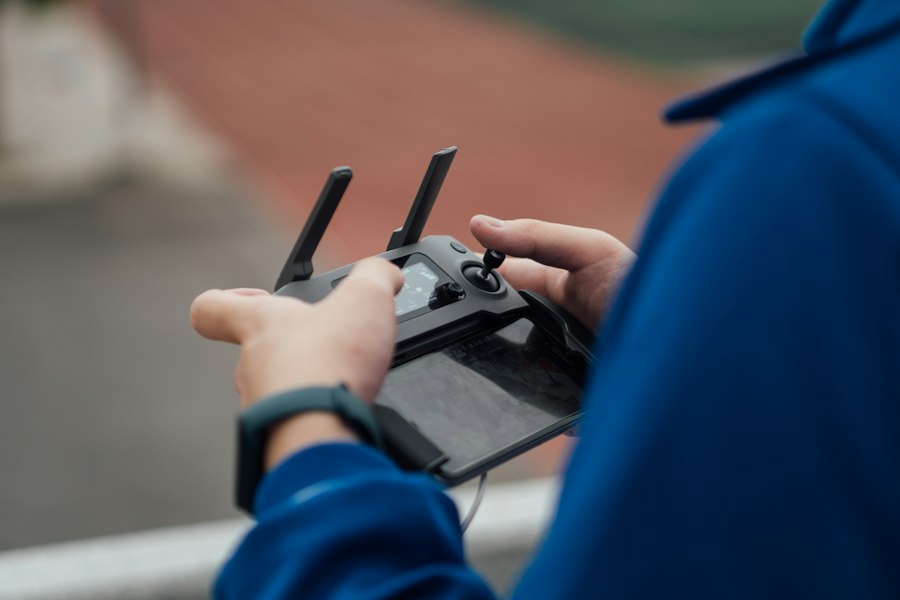
The ease of getting your drone into the air and keeping it there is a critical aspect of outdoor enjoyment. Here, the lines between screen-based controllers and smartphones become even more blurred, with each offering distinct advantages and disadvantages.
Pre-Flight Preparations and Connectivity
A dedicated drone controller, by its very nature, is ready to go. You power it on, and it communicates directly with your drone. The setup is typically streamlined, involving pairing the controller to the drone, which is usually a quick and straightforward process. There are no apps to launch, no Bluetooth connections to establish, and no cables to fiddle with. This immediacy is invaluable when you’re eager to capture a fleeting moment or when the weather is changing rapidly. You’re less likely to be wrestling with software glitches or Wi-Fi signal drops that can sometimes plague smartphone connections.
Using a smartphone as your controller often involves more steps. You need to ensure your drone’s app is installed and updated. You’ll then need to connect your smartphone to the drone’s Wi-Fi network or via a USB cable to the controller. This process, while usually reliable, can sometimes be prone to hiccups. If your phone’s operating system decides to push an update at an inconvenient moment, or if there’s a conflict with another app, you could find yourself delaying your flight. The need to physically connect your phone to the controller via a cable can also be a minor annoyance, especially in breezy conditions where the cable might snag or pull.
Portability and the All-in-One Dream
The argument for smartphones in terms of portability is undeniable. You’re likely already carrying your smartphone, so the marginal weight and bulk of adding a drone controller mount is often negligible. This “all-in-one” approach means you have fewer items to pack, fewer things to keep track of, and a potentially more compact setup for spontaneous flights. Imagine being out for a hike and spotting a fantastic viewpoint; with a smartphone setup, you can quickly deploy your drone without needing to rummage through a separate bag for a dedicated controller.
Dedicated controllers, while often foldable and designed for portability, are still an additional item. They can add significant bulk and weight to your backpack, especially larger, more feature-rich models. While many come with their own carrying cases, it’s still an extra piece of gear to manage. For the casual flyer who prioritizes minimal gear, the smartphone often wins this round. However, for the serious aerial photographer or videographer, the ergonomic benefits and enhanced control of a dedicated controller might outweigh the slight portability compromise.
When considering the best tools for flying drones outdoors, many enthusiasts often debate whether a dedicated drone controller with a screen or a smartphone is the better option. A recent article explores this topic in depth, providing insights into the advantages and disadvantages of each choice. For those interested in futuristic technology, you might also enjoy reading about innovative footwear in another related article that discusses the top ten Back to the Future shoes, which feature LED flashing lights. You can check it out here.
Battery Life and Power Management
This is perhaps the most critical consideration for outdoor ease. Drones themselves consume significant power, and the device you use to control them and view their feed also needs to be powered. Dedicated drone controllers usually have their own internal batteries, designed to last for several hours of continuous use. These batteries are often larger and more robust than those found in smartphones. Furthermore, because their primary function is drone control, their power consumption is optimized for that task.
Smartphones, on the other hand, are multi-tasking powerhouses. Running a high-resolution video feed from a drone, coupled with GPS, Wi-Fi, and potentially other background apps, can be a serious battery drain. You might find yourself needing to carry a portable power bank to keep your phone charged throughout your flying session. This adds another item to your kit and another potential point of failure – what if your power bank malfunctions? While some drone controllers have the ability to charge your phone via a USB connection, this is still drawing power from the controller’s already limited battery. For extended flights or remote locations where charging opportunities are scarce, the battery longevity of a dedicated controller is a significant advantage.
The Software Interface: Functionality and User Experience
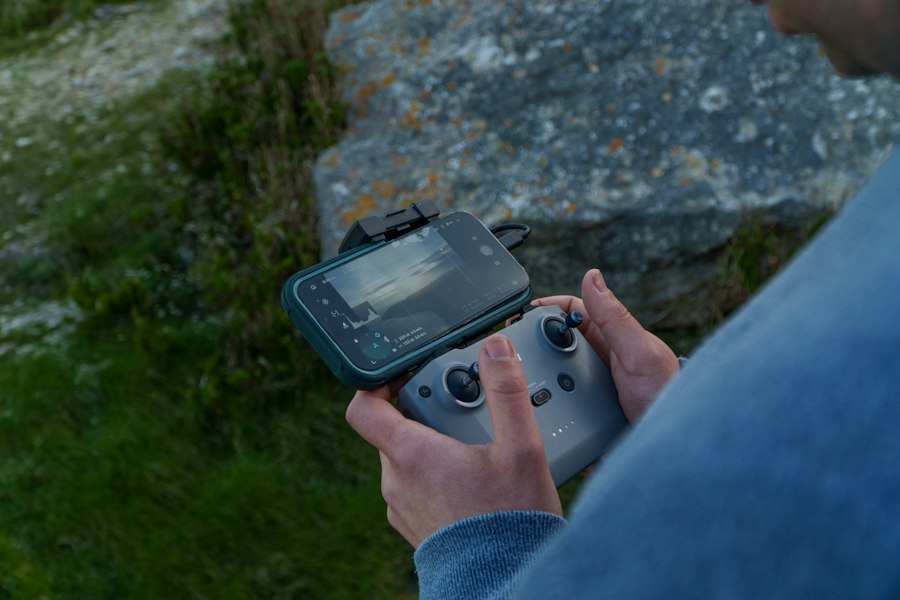
Beyond the hardware, the software that governs your drone’s flight and camera operations plays a crucial role in how you interact with your aircraft. Both dedicated controllers and smartphones rely on companion apps, but the user experience can differ significantly.
App Ecosystem and Updates
Dedicated drone controllers are typically tied to a specific manufacturer’s app. This app is often designed with a clean, intuitive interface that prioritizes essential flight controls and camera settings. Updates are usually released regularly to improve performance, add new features, and address any bugs. The advantage here is a consistent, predictable user experience. You know what to expect, and the app is generally optimized for the controller’s hardware.
Smartphones, with their open ecosystems, offer a wider range of app choices. While you’ll primarily use the manufacturer’s official app, there are also third-party apps that can offer advanced flight planning, cinematic modes, or even specialized camera control features. This flexibility can be appealing to users who want to push the boundaries of their drone’s capabilities. However, it also introduces a potential for fragmentation. Different apps might have different interfaces, require different setup procedures, and may not always be as stable as the manufacturer’s native application. Ensuring compatibility between your phone’s operating system, the drone’s firmware, and any third-party apps can sometimes be a technical hurdle.
Advanced Features and Customization
Modern drones offer a plethora of advanced features, from intelligent flight modes like “Follow Me” and “Orbit” to complex camera settings. Dedicated controllers often have dedicated buttons or intuitive menu systems for accessing these features quickly. This allows for seamless transitions between different flight modes without having to navigate through multiple sub-menus on a touchscreen.
Smartphones, with their large touchscreens, can offer a more visually rich interface for accessing these advanced features. You can often see more options laid out clearly, with detailed graphical representations of flight paths or camera settings. This can be particularly helpful for beginners who are still learning the intricacies of drone operation. However, the reliance on touch input can sometimes make it slower to access these features in real-time, especially when you need to react quickly to changing conditions. The ability to customize the controller’s buttons on a dedicated device can also be a significant advantage for experienced pilots who want to tailor the controls to their specific flying style.
Live Feed Quality and Data Overlay
The quality of the live video feed (FPV) is crucial for both types of control. Dedicated controllers often have optimized antennas and transmission systems to provide a stable, low-latency video stream. The accompanying screens are designed to display this feed clearly, often with an overlay of essential flight data such as altitude, speed, battery level, and GPS signal strength. This data is vital for safe and informed flying.
Smartphones, when connected to a drone, also provide a live video feed. The high-resolution displays of modern smartphones can offer incredibly sharp and detailed FPV. However, as mentioned earlier, outdoor visibility can be an issue. Furthermore, the data overlay might be less customizable or less prominently displayed compared to dedicated controller apps. Some users might find themselves wishing for more granular control over what information is displayed on their screen, and dedicated controller apps often provide this flexibility. The potential for lag or dropped frames in the video feed can also be a concern with smartphone-based control, particularly in areas with Wi-Fi interference.
The Verdict: Which is Right for Your Outdoor Adventures?
Ultimately, the choice between a dedicated drone controller and a smartphone for outdoor flying boils down to your individual needs, priorities, and flying style. There’s no single “best” answer, but understanding the strengths and weaknesses of each will help you make an informed decision.
For the casual recreational flyer who enjoys occasional flights in parks or scenic locations and prioritizes simplicity and portability, a smartphone setup might be perfectly adequate. You already have the device, and for basic flight and camera operation, it can perform admirably. The ease of not carrying an extra piece of equipment can be a significant draw. Just be mindful of your phone’s battery life and invest in a good mounting system for your controller.
However, if you’re an aspiring aerial photographer, a seasoned videographer, or a pilot who demands precision, reliability, and extended flight times, a dedicated drone controller will likely be the superior choice. The tactile feedback, superior screen visibility, longer battery life, and streamlined user experience contribute to a more professional and enjoyable flying session. The investment in a dedicated controller is an investment in better control, greater confidence, and ultimately, more successful and satisfying aerial adventures.
Consider your typical flying environment. Are you often in bright sunlight? Do you fly in areas with potential Wi-Fi interference? Do you plan on long, extended flights? These factors can all sway the decision. Perhaps the ideal scenario for some is to have both options available – the convenience of the smartphone for quick, spontaneous flights, and the robust performance of a dedicated controller for more serious endeavors. The drone industry continues to evolve, and we may see even more innovative solutions that bridge the gap between these two distinct approaches, offering the best of both worlds for the discerning drone pilot. Until then, weigh your options carefully, and choose the controller that will best unlock your outdoor flying potential.