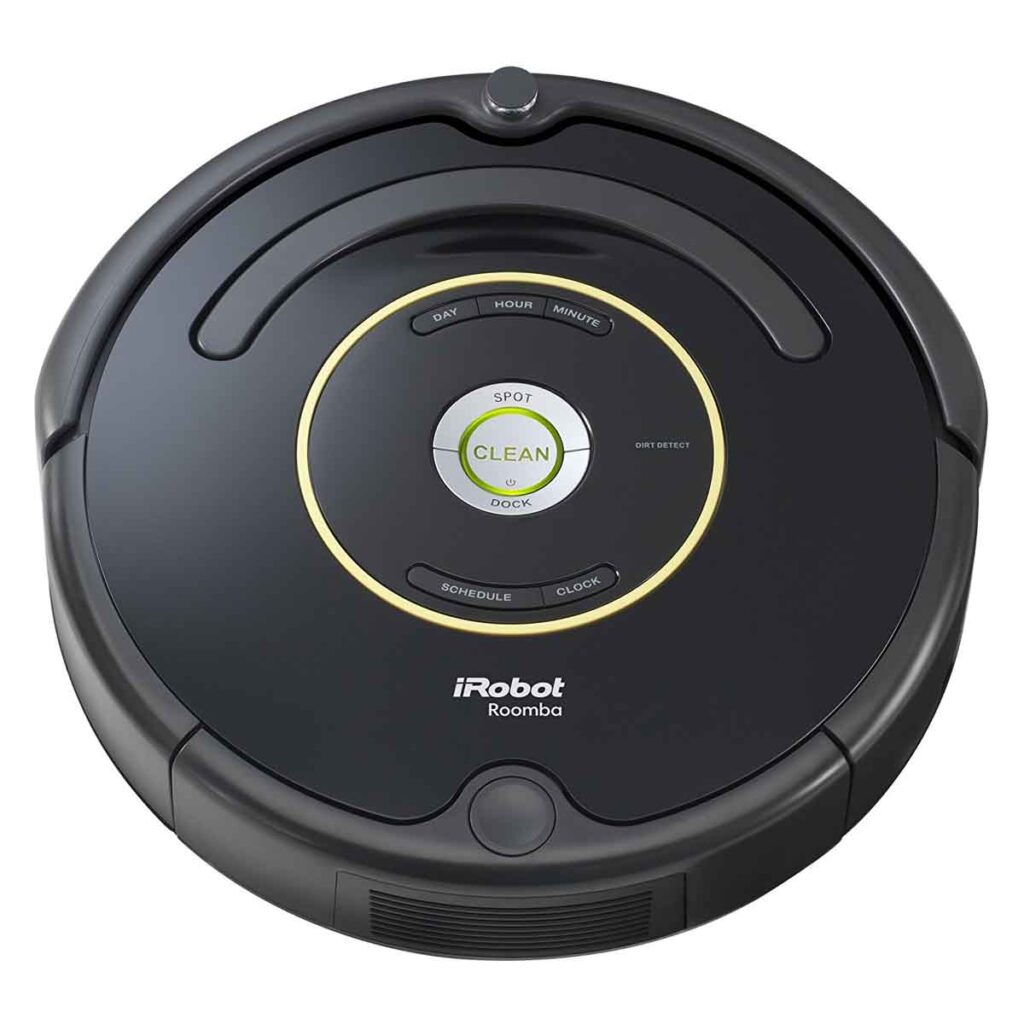
The Evolving Landscape of Robot Vacuum Navigation
You’ve finally invested in a robot vacuum, envisioning a life where you never have to push a clunky upright again. It whirs around your home, efficiently cleaning, and then you notice it. Sometimes, it seems to be re-exploring areas it’s already cleaned, or perhaps you’ve moved a piece of furniture, and it takes a while to adjust. This isn’t a bug; it’s a feature, and understanding why your robot vacuum occasionally “remaps” your rooms is key to maximizing its performance and your satisfaction. You’re not alone in wondering about this behavior; it’s a common point of curiosity for many new robot vacuum owners. The world of autonomous cleaning is far more complex than a simple “on” and “off” switch, and the intelligence behind these devices is constantly evolving.
At its core, your robot vacuum is a miniature, mobile computer with a highly specialized task: to clean your floors effectively and efficiently. To do this, it needs to know where it is, where it’s been, and where it needs to go. This fundamental requirement drives the need for mapping and, consequently, remapping. Think of it like a highly sophisticated GPS system for your home, but instead of navigating streets, it’s navigating your living room, avoiding obstacles, and remembering the layout. The technology involved has come a long way from the early days of bump-and-go cleaners, which relied solely on physical contact to change direction. Today’s robots utilize a suite of sensors and powerful algorithms to build and maintain detailed representations of your environment. This sophisticated approach allows them to learn, adapt, and ultimately, clean more thoroughly and intelligently.
The Foundation of Robot Navigation: SLAM
The magic behind your robot vacuum’s ability to understand your home lies in a concept called Simultaneous Localization and Mapping, or SLAM. This isn’t just fancy tech jargon; it’s the bedrock upon which all intelligent robot navigation is built. Imagine yourself in a completely dark room you’ve never been in before. You try to figure out where you are and what the room looks like simultaneously. That’s essentially what SLAM enables your robot to do, but with sensors instead of touch. Your robot is constantly building a map of its surroundings while simultaneously determining its own position within that developing map. This iterative process allows it to refine both its understanding of the environment and its own location, leading to increasingly accurate navigation. Without SLAM, your robot would be little more than a random bumper car.
There are various implementations of SLAM in robot vacuums, each with its own strengths and weaknesses. Some rely heavily on optical sensors, creating a visual map of your home, much like a scaled-down version of what self-driving cars use. Others utilize lidar, emitting laser pulses to measure distances and construct highly accurate 3D representations. Still others integrate ultrasonic sensors, detecting objects through sound waves. The combination and sophistication of these sensors directly impact how well your robot can map your home and, by extension, how often it might need to remap. Higher-end models typically employ a more robust sensor suite, allowing for more precise mapping and less frequent remapping. However, even the most advanced systems aren’t perfect, and environmental changes or software updates can necessitate a re-evaluation of the existing map.

- SELF-EMPTYING FOR UP TO 3 MONTHS, NO MESS — Empties into the AutoEmpty dock; the 2.5 L AllergenLock bag traps 99% of pollen and mold and seals on removal, no dust cloud and hands stay clean in busy real-life homes.
- VACUUMS AND MOPS IN ONE PASS — Vacuums with a suction power of 15,000 Pa to lift crumbs and fine dust while the pad mops everyday buildup, covering up to 900 sq ft/charge, ideal for small to medium homes.
- EASY, EFFECTIVE MOPPING — The washable microfiber pad gently lifts dusty pawprints and light smudges on sealed hard floors, and you can set a No Mop Zone so rugs stay protected and won't get wet while you mop.
- CLEARVIEW LiDAR MAPS ROOMS AND AVOIDS OBSTACLES — Cleans in neat rows, even in low light, steering around shoes, pet bowls, and furniture, and navigates confidently in multi-room layouts including hallways and open living spaces.
- THOROUGH EDGE AND CORNER CLEANING — An extended mop pad and edge-sweeping brush work together to clean along baseboards and into corners other robots miss.


- VACUUMS AND MOPS IN ONE PASS — Vacuums with a suction power of 15,000 Pa to lift crumbs and fine dust while the pad mops everyday buildup, covering up to 900 sq ft/charge, ideal for small to medium-sized homes.
- EASY, EFFECTIVE MOPPING — The washable microfiber pad gently lifts dusty pawprints and light smudges on sealed hard floors, and you can set a No Mop Zone so rugs stay protected and won’t get wet while you mop.
- CLEARVIEW LiDAR MAPS ROOMS AND AVOIDS OBSTACLES — Cleans in neat rows, even in low light, steering around shoes, pet bowls, and furniture, and navigates confidently in multi-room layouts including hallways and open living spaces.
- THOROUGH EDGE AND CORNER CLEANING — An extended mop pad and edge-sweeping brush work together to clean along baseboards and into corners other robots miss.
- GREAT FOR PET FAMILIES — Anti-hair-wrap brushes resist pet-hair wrappings, helping busy homes with pets and kids stay cleaner.

- INCREDIBLE SUCTION: Powerful Shark suction picks up dirt and debris on all floor types—tackling even the toughest of messes in your home.
- NO SPOTS MISSED: With Matrix Clean Navigation, the vacuum cleans in a precise matrix grid taking multiple passes over dirt and debris for whole home, deep cleaning coverage.
- IT EMPTIES ITSELF: The bagless, self-emptying base holds up to 30 days of dirt and debris while its true HEPA filtration captures and traps 99.97%* of dust and allergens (*down to .3 microns).
- PRECISION HOME MAPPING: 360° LiDAR vision quickly and accurately maps your home so your robot can methodically clean detecting and avoiding objects in its path, day or night, adapting to everyday changes in the home.
- PERFECT FOR HOMES WITH PETS: With powerful vacuum suction, Shark’s self-cleaning brushroll, and HEPA filtration system the robot captures pet hair, dust, dander and allergens with ease.

- 【2-in-1 Mopping and Vacuuming】 The ROPVACNIC Robot S1 integrates advanced electronically controlled mopping technology, significantly enhancing both cleaning efficiency and effectiveness, which makes your floors remain free from footprints, dirt, and dust throughout the day. It features an upgraded high-capacity water tank with a four-stage personalized water adjustment system, enabling it to address various stains across different settings according to user requirements.
- 【Comprehensive Intelligent Control】 Multiple Cleaning Modes, combined with personalized settings, allow you to easily accomplish various household cleaning tasks with zero effort from your smartphone. Moreover, by voice commands, you can start your cleaning while kicking back and relaxing (compatible with Alexa or Google Assistant). Enjoy an utterly hands-free cleaning experience.
- 【5200Pa Powerful Suction】A 3-point cleaning system coupled with strong suction ensures your floors are free from all dirt, dust, and crumbs for a thorough, superior clean. The highly passable compact design combined with 3-level suction facilitates cleaning in hard-to-reach areas where you can't, making it suitable for a wide range of surfaces from wood, and hard floors to low pile carpets.
- 【Smarter High Automation & Self-Recharge】 The robot aspiradora is equipped with an advanced high-coverage sensing system and multiple algorithmic data points, enabling autonomous completion of cleaning tasks—from scheduled starting, detecting obstacles, adjusting direction, and switching modes, to automatically returning to recharge. This hassle-free operation ensures a clean home when you return.
- 【Engineered for Pet Owner】 The exclusive no-entanglement design negates the need for your dirty hands to clean up tangled dog or cat hair, unlike traditional roller brushes. Its dual rotating electric side brushes sweep and collect hidden pet hair more efficiently throughout the house, saving you the hassle.

- HIGH SUCTION POWER & SONIC MOPPING: Ultra-powerful, whole-home cleaning on carpets and hard floors with strong suction that lifts dirt and debris, while sonic mopping scrubs hard floors for a deeper clean—all in one pass.
- NO SPOTS MISSED: With Matrix Clean technology, the robot cleans in a precision matrix grid, taking multiple passes over dirt and debris to deliver 30% better carpet cleaning (vs. RV2610WD single pass, tested on level loop sand).
- PERFECT FOR HOMES WITH PETS: The self-cleaning brushroll captures pet hair, dust, and debris while preventing hair wrap, helping maintain strong pickup performance across carpets and hard floors in homes with pets.
- TACKLE STUCK-ON STAINS: Sonic mopping scrubs hard floors 100x per minute, and for deeper cleaning, use Matrix Mop in the app to target zones and deliver 50% better stain cleaning (vs. RV2001WD, modified IEC 62885-6).
- SELF-EMPTYING & SELF-CHARGING: Holds up to 60 days of dirt and debris in a bagless base with no replacement bags required. With Recharge and Resume, the robot automatically recharges when low and picks up cleaning right where it left off.

- DEVOURS DIRT WITH 70X MORE POWER-LIFTING SUCTION*. 3-Stage Cleaning includes 70X more power-lifting suction*, a Multi-Surface brush, and Edge-Sweeping brush to devour dirt and dust bunnies and leave floors barefoot clean. *As compared to Roomba 600 series robots
- SUPER-SMART MAPPING AND NAVIGATION. ClearView LiDAR quickly maps your home to maximize coverage and provide a precise clean while steering smoothly around obstacles and specialized sensors prevent falling down stairs.
- FULLY CUSTOM AND TARGETED CLEANING. Schedule and target rooms based on your daily routine and adjust the number of cleaning passes and levels of suction power.
- EASY-TO-USE ROOMBA HOME APP. Simply tap to set a custom clean, get time estimates, check on the filter life, or create keep-out zones to avoid specific areas.
- EXTRA DIRT- SPOT CLEANING IS ON IT. Easily target the places where your floors need extra attention, with spot cleaning, your robot repeatedly cleans in one area for up to 5 minutes.

- 💨 360° LiDAR Navigation & Home Mapping : H6 Pro robot vacuum is eqquipped with the most advanced LiDAR system, scan and identify complex home layouts at 360°, create highly detailed maps and supports multi-level mapping for smart navigation across different floors. Enjoy quick, accurate, and thorough cleaning in every corner of your home.
- 🍀 90-Days Hands-Free Cleaning : The H6 Pro Robot Vacuum and Mop features a 3L large-capacity dust collection station, which can quickly dump dirt and dust into the dust bag while preventing clogging. Set your hands free and enjoy a fully automatic cleaning.
- 🌊 Sweep&Vacuum&Mop In-One-Go : This 3-in-1 robot vacuum cleaner can seamlessly sweeps, vacuums, and mops your floors in a single pass. Equipped with 250ml large dustbin and 310ml water tank, it handles big jobs,never worry about frequent stops for charging. Effortlessly switch from quiet carpet cleaning to a powerful deep scrub for hard floors. Wake up or return home to sparkling floors every day. It's the complete, hands-free solution for all mess.
- 📱 App & Alexa Voice Control : Using samrt phone APP, you can customize no-go zones and no-mop zones, set up virtual walls, schedule cleaning plans, and select specific rooms or areas to clean. In addition,it also supports Alexa or Google assistant,using voice commands to control your robot vacuum without lifting a finger.
- 🦾 6000Pa Super Strong Suction : With impressive 6000Pa strong suction, H6 Pro picks up dust,crumbs,and pet hair with ease on hard floor,tile,carpets,etc. Ideal gift for pet family and busy households.

- 𝗨𝗽 𝘁𝗼 𝟳–𝟵 𝗪𝗲𝗲𝗸𝘀 𝗛𝗮𝗻𝗱𝘀-𝗙𝗿𝗲𝗲 𝗖𝗹𝗲𝗮𝗻𝗶𝗻𝗴 — 𝗦𝗲𝗹𝗳-𝗘𝗺𝗽𝘁𝘆 𝗗𝗼𝗰𝗸: With a 2.7L sealed dust bag, the RockDock Plus efficiently collects pet hair, dirt, and debris without the need for constant emptying. This means longer cleaning cycles and more time between maintenance, keeping your home consistently clean.
- 𝟭𝟬𝟬𝟬𝟬𝗣𝗮 𝗛𝘆𝗽𝗲𝗿𝗙𝗼𝗿𝗰𝗲 𝗦𝘂𝗰𝘁𝗶𝗼𝗻 — 𝗗𝗲𝗲𝗽 𝗖𝗮𝗿𝗽𝗲𝘁 & 𝗘𝗱𝗴𝗲 𝗖𝗹𝗲𝗮𝗻𝗶𝗻𝗴: Powerful suction lifts pet hair and debris from all surfaces, reaching deep into carpets and along edges to ensure thorough cleaning in every pass.
- 𝗗𝘂𝗮𝗹 𝗔𝗻𝘁𝗶-𝗧𝗮𝗻𝗴𝗹𝗲 𝗦𝘆𝘀𝘁𝗲𝗺 — 𝗠𝗶𝗻𝗶𝗺𝗮𝗹 𝗠𝗮𝗶𝗻𝘁𝗲𝗻𝗮𝗻𝗰𝗲: The JawScrapers main brush and 0% hair-tangling side brush resist hair wrap, even from long-haired pets, reducing interruptions and keeping the robot ready with minimal effort.
- 𝗩𝗮𝗰𝘂𝘂𝗺 & 𝗠𝗼𝗽 𝗖𝗼𝗺𝗯𝗼 — 𝗙𝗶𝗻𝗲 𝗗𝘂𝘀𝘁 𝗥𝗲𝗺𝗼𝘃𝗮𝗹: This advanced system combines vacuuming and mopping in one cycle, effectively capturing fine dust that traditional vacuuming may leave behind. Three adjustable water flow settings allow customized cleaning for different floor types.
- 𝗣𝗿𝗲𝗰𝗶𝗦𝗲𝗻𝘀𝗲 𝗟𝗶𝗗𝗔𝗥 𝗡𝗮𝘃𝗶𝗴𝗮𝘁𝗶𝗼𝗻 — 𝗘𝗳𝗳𝗶𝗰𝗶𝗲𝗻𝘁 & 𝗖𝗼𝗺𝗽𝗹𝗲𝘁𝗲 𝗖𝗼𝘃𝗲𝗿𝗮𝗴𝗲: Precision LiDAR mapping creates accurate room layouts, enabling optimized cleaning paths and full coverage for homes with pets and multiple rooms.

- 𝗨𝗹𝘁𝗿𝗮-𝗣𝗼𝘄𝗲𝗿𝗳𝘂𝗹 𝗗𝗲𝗲𝗽 𝗦𝘂𝗰𝘁𝗶𝗼𝗻: HyperForce 8,000 Pa lifts dust, hair, and debris from floor cracks and deep within carpets — for spotless floors, every time
- 𝗗𝘂𝗮𝗹 𝗔𝗻𝘁𝗶-𝗧𝗮𝗻𝗴𝗹𝗲 𝗕𝗿𝘂𝘀𝗵𝗲𝘀: A specially designed main brush and zero-tangle side brush prevent hair wrap, ensuring smooth cleaning and minimal maintenance, perfect for homes with pets.
- 𝗣𝗿𝗲𝗰𝗶𝘀𝗶𝗼𝗻 𝗟𝗶𝗗𝗔𝗥 𝗡𝗮𝘃𝗶𝗴𝗮𝘁𝗶𝗼𝗻: 360° laser mapping scans your home in real time, plans the most efficient route, and saves multiple floor maps for easy navigation
- 𝗩𝗮𝗰𝘂𝘂𝗺 & 𝗠𝗼𝗽 𝗶𝗻 𝗢𝗻𝗲 𝗚𝗼: The 270 ml water tank lets you vacuum and mop at the same time. With three water levels and a removable mop pad, it tackles everything from fine dust to dried-on stains. Reminder: The water tank and dustbin are designed as a single integrated combo part
- 𝗥𝗼𝗯𝗼𝗿𝗼𝗰𝗸 𝗔𝗣𝗣 & 𝗩𝗼𝗶𝗰𝗲 𝗖𝗼𝗻𝘁𝗿𝗼𝗹: Take full control of your robot with the Roborock app. Adjust suction levels, schedule cleaning for specific times or rooms, set up No-Go Zones to avoid specific areas, and enable child lock for the safety of children and pets. For ultimate hands-free convenience, use voice commands via Alexa or Google Home to start, stop, pause, resume cleaning, or send your robot back to the dock effortlessly
Different Mapping Technologies and Their Impact
The type of sensors your robot vacuum uses plays a significant role in how it constructs and maintains its internal map. You’ll encounter several common technologies, each contributing to the robot’s perception of your home.
Visual SLAM (vSLAM)
Many robot vacuums, particularly those in the mid-range price bracket, utilize vSLAM. This technology employs a camera, often mounted on top of the robot, to capture images of your ceiling and surroundings. By analyzing these images, the robot identifies unique visual features – such as light fixtures, ceiling corners, or even distinctive patterns on your walls – and uses them as reference points to build a 2D map. Think of it like a visual fingerprint of your home. The robot remembers the spatial relationship between these features, allowing it to localize itself within the map.
The strength of vSLAM lies in its ability to operate effectively in well-lit environments and its relatively lower cost compared to some other technologies. However, it does have its limitations. Low-light conditions can significantly impair its performance, as the camera struggles to capture clear images and identify reliable visual features. Similarly, highly repetitive environments, like long, unadorned hallways, can sometimes confuse vSLAM systems, as there are fewer unique features to track. If your robot relies heavily on vSLAM, you might notice it struggling or remapping more frequently in dimly lit rooms or areas with uniform decor.
Lidar SLAM
Lidar (Light Detection and Ranging) is often considered the gold standard for robot vacuum navigation, especially in higher-end models. Lidar sensors emit thousands of laser pulses per second, which bounce off objects in the environment and return to the sensor. By measuring the time it takes for these pulses to return, the robot can calculate the distance to each object with incredible accuracy. This allows it to create a highly precise and detailed 3D map of your home, complete with walls, furniture, and other obstacles.
The advantages of lidar are numerous. It performs exceptionally well in both bright and dark environments, as it doesn’t rely on ambient light. The maps it generates are incredibly accurate, leading to efficient cleaning paths and a reduced likelihood of getting stuck. Because lidar creates such a robust understanding of the environment, robots equipped with it tend to require less frequent remapping. However, lidar modules are generally more expensive to produce, which contributes to the higher price point of these vacuums. You’ll appreciate the seamless navigation and consistent performance that lidar provides, especially if your home has varying light conditions.
Other Sensor Integrations
While vSLAM and lidar are the primary mapping technologies, many robot vacuums also incorporate other sensors to enhance their navigation and obstacle avoidance capabilities. These often work in conjunction with the main mapping system to provide a more comprehensive understanding of the environment.
- Infrared Sensors: These are commonly used for object detection and cliff avoidance. Your robot uses them to detect walls, furniture legs, and the edges of stairs, preventing it from colliding or falling.
- Ultrasonic Sensors: Similar to how bats navigate, ultrasonic sensors emit sound waves and measure the time it takes for the echoes to return. This helps the robot detect transparent objects like glass doors or sheer curtains that lidar or vSLAM might miss.
- Bump Sensors: Even the most advanced robots still have physical bump sensors. These serve as a last resort, triggering a change in direction if the robot physically collides with an object. While less sophisticated than other sensors, they are crucial for preventing damage to both the robot and your furniture.
The combination of these sensors, coupled with powerful processing algorithms, creates a layered understanding of your home, allowing for sophisticated navigation and dynamic adaptation to changes.
If you’re curious about the technology behind robot vacuums and their navigation systems, you might find the article on the best expedition tents interesting as it highlights the importance of efficient design and functionality in various products. Just as a robot vacuum needs to effectively map and navigate a room, expedition tents are designed for optimal space utilization and ease of setup in challenging environments. For more insights into product design and functionality, check out this related article on best expedition tents.
When and Why Your Robot Vacuum Remaps
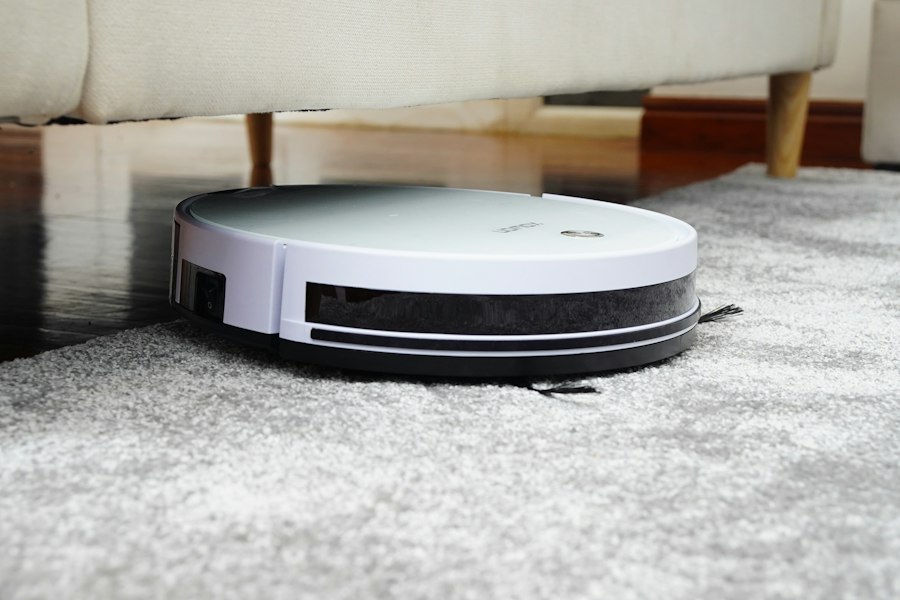
Understanding the ‘how’ of mapping is important, but you’re probably more interested in the ‘why’ and ‘when’ of remapping. It’s not a random occurrence; there are specific reasons your robot vacuum might decide to re-evaluate its internal map. You might even be inadvertently triggering some of these remapping events yourself.
Significant Environmental Changes
This is perhaps the most common reason your robot vacuum will remap. Your robot’s map is a representation of a static environment. When that environment changes significantly, the existing map becomes inaccurate, and the robot needs to update its understanding.
Furniture Rearrangements
You’ve decided to move your sofa, shift your dining table, or introduce a new bookcase. To your robot, this is a major disruption. What was once an open space might now be blocked, and what was a wall might now be a clear path. When your robot encounters these discrepancies, its internal localization system struggles to match its current sensor readings with its stored map. If the discrepancies are too great, it will initiate a remapping process to create an updated, accurate representation of your home. This is essential for maintaining efficient cleaning paths and avoiding getting stuck in newly created obstacles.
New Obstacles or Clutter
Similar to furniture rearrangements, introducing new, permanent obstacles will prompt a remapping. This could be anything from a new pet bed that occupies a significant floor space, a large floor lamp, or even a child’s playpen. While your robot can navigate around temporary clutter during a cleaning cycle, if it consistently encounters a new, stationary object in an area it previously mapped as clear, it will eventually integrate that new obstacle into its map. This is a sign of intelligent adaptation, as your robot is learning the persistent features of your home.
Door and Wall Modifications
Less common, but equally impactful, are structural changes to your home. If you’ve opened up a doorway, built a new partition wall, or even left an internal door consistently open or closed when it was previously the opposite, your robot’s map will become outdated. These changes fundamentally alter the navigable pathways within your home. A doorway that was once a barrier might now be an access point, or a previously open space might now be segmented. In such cases, a full remapping is crucial for the robot to understand the new layout and plan its cleaning routes accordingly.
Software Updates and Resets
Just like your smartphone, your robot vacuum receives software updates. These updates often include improvements to navigation algorithms, sensor interpretation, and mapping capabilities. Sometimes, a significant update might necessitate a map reset or a partial remapping to take advantage of these new functionalities.
Firmware Enhancements
Developers are constantly refining the intelligence of these devices. A firmware update might introduce a more efficient SLAM algorithm, better obstacle detection, or improved multi-floor mapping capabilities. To fully leverage these enhancements, your robot might need to discard its old map and build a new one using the improved software. This ensures it’s operating with the most current and optimized understanding of your home. While it might seem inconvenient in the short term, these updates often lead to a more reliable and effective cleaning experience in the long run.
Factory Resets
If you experience persistent navigation issues, or if you’re selling your robot vacuum, you might perform a factory reset. This wipes all stored data, including your home’s map, and returns the robot to its default settings. After a factory reset, your robot will treat your home as an entirely new environment and will initiate a full remapping process during its first cleaning cycle. This is a clean slate, ensuring that any corrupted map data or configuration issues are resolved.
User Intervention and App Commands
You also have a degree of control over your robot’s mapping behavior through its companion app. Modern robot vacuums are highly integrated with smartphone applications, providing you with a wealth of control and customization options.
Manual Map Deletion
Most robot vacuum apps allow you to manually delete the stored map. You might choose to do this if you’ve made extensive changes to your home, if you’re moving to a new residence, or if you suspect your existing map has become corrupted and is causing navigation problems. Deleting the map will force your robot to start fresh and rebuild a new one during its next cleaning cycle. This gives you the power to rectify a problematic map and ensure your robot is working with the most accurate information.
Multi-Floor Mapping Activation
If your robot supports multi-floor mapping (meaning it can store maps for different levels of your home), you’ll often need to initiate the mapping process for each new floor. When you move the robot to an unmapped floor, it will automatically detect that it’s in an unfamiliar environment and begin creating a new map specific to that level. This functionality is incredibly convenient for homes with multiple stories, as it eliminates the need for your robot to remap your entire house every time you move it. You simply tell the app which floor it’s on, and it loads the corresponding map.
The Benefits of Remapping
While remapping might seem like an inconvenience, it’s actually a critical function that ensures your robot vacuum remains effective and efficient over time. You wouldn’t want a static, outdated map dictating your robot’s cleaning paths, especially if your home environment is dynamic.
Enhanced Navigation Accuracy
An updated map is an accurate map. When your robot remaps, it’s essentially creating a fresh, precise blueprint of your current living space. This means it has a better understanding of where walls are, where furniture is located, and the most efficient pathways to take. This translates directly to smoother navigation, fewer collisions, and less chance of your robot getting stuck. You’ll notice it moves with greater confidence and purpose, rather than bumping aimlessly.
Optimized Cleaning Efficiency
With an accurate map, your robot can plan its cleaning routes much more intelligently. It knows the dimensions of each room, the location of obstacles, and the most logical way to cover the entire floor area. This reduces redundant passes, minimizes missed spots, and ultimately, allows your robot to complete its cleaning task more quickly and thoroughly. You’ll appreciate the consistent, high-quality cleaning that comes from a robot operating with up-to-date spatial information.
Adaptability to Your Lifestyle
Your home isn’t a static museum; it’s a living, evolving space. You move furniture, introduce new decor, and sometimes just have more clutter than usual. Remapping allows your robot to adapt to these changes without missing a beat. It means you don’t have to worry about your robot getting confused or stuck simply because you’ve decided to redecorate your living room. This adaptability is a key factor in the long-term utility and convenience of your robot vacuum. It’s designed to fit into your life, not the other way around.
Tips for Managing Your Robot Vacuum’s Map
While remapping is a natural and beneficial process, there are things you can do to optimize it and ensure your robot’s mapping experience is as seamless as possible. You have a role to play in maintaining your robot’s intelligence.
Preparing Your Home for Initial Mapping
The first map your robot creates is the most crucial. It forms the foundation for all subsequent cleaning cycles and future adaptations. Investing a little time in preparation can save you headaches down the line.
Decluttering the Floor
Before your robot undertakes its initial mapping run, make an effort to clear the floor of any temporary clutter. This includes loose cables, small rugs that might get tangled, shoes, toys, and anything else that isn’t a permanent fixture. A clear floor allows the robot to create an unobstructed view of your home’s layout, leading to a more accurate and comprehensive initial map. If the robot encounters too much clutter during its first run, it might inaccurately map areas as being blocked or smaller than they actually are, which can impact future cleaning efficiency.
Ensuring Good Lighting
For robots utilizing vSLAM, good lighting is paramount during the initial mapping process. Open blinds, turn on lights, and ensure there’s adequate ambient light in all areas the robot will map. This helps the camera capture clear images and identify reliable visual features, leading to a more robust and accurate visual map. Even for lidar-equipped robots, while less dependent on light, a well-lit environment can sometimes offer marginal improvements in sensor performance.
Opening All Interior Doors
To ensure your robot maps your entire home, make sure all interior doors are open during the initial mapping run. If a door is closed, that room will be excluded from the map, and your robot won’t be able to clean it unless you manually open the door and initiate a remapping or specific room cleaning. Once the initial map is created, you can then set up no-go zones or virtual walls in the app for rooms you don’t want the robot to enter regularly.
Best Practices for Ongoing Map Maintenance
Once your robot has established its initial map, there are ongoing actions you can take to keep it accurate and effective.
Consistent Docking Location
Your robot’s charging dock isn’t just a place to power up; it’s also a primary reference point for its internal map. Always return your robot to its original docking station. If you move the dock frequently, the robot can get confused about its starting position, leading to localization errors and potentially prompting a partial remapping. Think of the dock as its “home base” coordinate on its internal map.
Minimal Obstacle Movement
While you have the flexibility to rearrange furniture, try to keep major pieces in relatively consistent locations. If you frequently move large items, your robot will constantly be adjusting its map, which can take time and battery life. For smaller, temporary obstacles, your robot is usually intelligent enough to navigate around them without requiring a full remap. However, if you’re making a permanent change, be prepared for your robot to adapt.
Utilizing App Features
Your robot vacuum’s companion app is a powerful tool for managing its map. Take advantage of features like:
- No-go zones and virtual walls: Use these to define areas your robot should avoid, preventing it from getting stuck or cleaning sensitive areas.
- Room segmentation: Most apps allow you to divide your map into specific rooms, enabling targeted cleaning and more efficient scheduling.
- Map editing (if available): Some advanced robots allow you to manually edit the map, combining or splitting rooms as needed.
- Checking map status: Regularly review your robot’s map in the app. If you notice discrepancies or areas that are incorrectly mapped, you might consider initiating a remapping process.
By proactively managing your robot’s map through the app, you empower it to clean your home more effectively and minimize the need for unexpected remapping events.
If you’re curious about the technology behind robot vacuums and their mapping capabilities, you might find it interesting to explore a related article that discusses the best slow pitch softball bats of 2016. While it may seem unrelated at first glance, both topics highlight advancements in technology and design that enhance user experience. For more information, you can check out the article here.
Looking Ahead: The Future of Robot Vacuum Mapping
| Metric | Description | Typical Values | Impact on Remapping |
|---|---|---|---|
| Sensor Accuracy | Precision of LIDAR, infrared, or camera sensors used for mapping | ±1-5 cm | Low accuracy can cause repeated remapping due to inconsistent data |
| Obstacle Density | Number of obstacles per square meter in the room | 0-5 obstacles/m² | High density may confuse sensors, leading to remapping |
| Room Size | Area of the room being cleaned | 10-50 m² | Larger rooms may require multiple mapping passes |
| Firmware Version | Software version controlling navigation algorithms | v1.0 – v5.0+ | Older versions may have bugs causing remapping loops |
| Battery Level | Remaining battery percentage during cleaning | 0-100% | Low battery can interrupt mapping, causing restarts |
| Mapping Mode | Type of mapping used (e.g., SLAM, random, zoned) | SLAM, Random, Zoned | Some modes are more prone to remapping issues |
| Environmental Changes | Frequency of furniture or object movement in the room | Low, Medium, High | Frequent changes cause the robot to remap to update the layout |
The technology powering robot vacuums is still evolving rapidly. You can expect even more sophisticated mapping capabilities in the coming years, further enhancing the autonomy and intelligence of these devices.
Enhanced AI and Machine Learning
Future robot vacuums will undoubtedly leverage more advanced artificial intelligence and machine learning algorithms. This will allow them to not only map your home but also to understand it on a deeper level. Imagine a robot that can differentiate between a dining room table and a coffee table, or even recognize temporary clutter versus permanent furniture. This deeper understanding will lead to more intelligent cleaning strategies, such as focusing on high-traffic areas or offering specialized cleaning for different types of rooms.
Multi-Robot Integration
As more smart home devices become interconnected, you might see robot vacuums integrating with other robots in your home. For example, a robotic mop could share mapping data with a robotic vacuum, allowing for a coordinated cleaning effort without redundant mapping. This multi-robot synergy could lead to a truly autonomous and comprehensive home cleaning system, managed from a single interface.
3D Mapping and Environmental Awareness
While some high-end robots already offer rudimentary 3D mapping, future generations will likely create much more detailed and nuanced 3D representations of your home. This will allow for more precise obstacle avoidance, better navigation in cluttered environments, and potentially even the ability to identify and clean elevated surfaces (though true stair-climbing robots are still a ways off). This enhanced environmental awareness will make your robot even more capable of navigating complex layouts and adapting to highly dynamic living spaces. You’ll witness your robot transform from a simple floor cleaner into a truly intelligent helper, capable of understanding and adapting to the intricacies of your home environment.
FAQs
1. Why does a robot vacuum keep remapping the same room?
Robot vacuums use sensors and algorithms to navigate a space, but they can sometimes get stuck in a loop due to obstacles or confusing patterns in the room.
2. How can I prevent my robot vacuum from remapping the same room?
To prevent your robot vacuum from remapping the same room, make sure the space is clear of clutter, remove any potential obstacles, and consider using boundary markers or virtual walls to guide the vacuum.
3. Can software updates help improve a robot vacuum’s mapping capabilities?
Yes, software updates can improve a robot vacuum’s mapping capabilities by enhancing its algorithms and sensors, allowing it to navigate more efficiently and effectively.
4. Are there specific features to look for in a robot vacuum to prevent remapping the same room?
Look for robot vacuums with advanced mapping technology, such as laser mapping or camera-based navigation, as these features can help the vacuum create more accurate maps of the space and avoid getting stuck in repetitive patterns.
5. How often should I clean and maintain my robot vacuum to prevent remapping issues?
Regularly cleaning and maintaining your robot vacuum, including emptying the dustbin, cleaning the sensors, and checking for any blockages, can help prevent remapping issues and ensure optimal performance.