
The Quest for Serenity in Your Shared Workspace
You’ve experienced it – the rhythmic, almost aggressive clatter emanating from your keyboard, each keystroke a tiny declaration of your presence. In a shared office environment, this isn’t just an annoyance; it’s a potential productivity killer, a source of friction, and a barrier to concentration for you and your colleagues. While you might love the tactile feedback and robust feel of a mechanical keyboard, the traditional “clicky” switches are a definite no-go. You need the precision and durability, but you also need silence. You’re looking for a keyboard that allows you to work diligently without becoming the office’s resident percussionist. This guide is designed to help you navigate the ever-expanding world of mechanical keyboards, specifically tailored for your shared office needs in 2024. We’ll focus on keyboards that prioritize quiet operation without sacrificing performance or aesthetics. Get ready to discover your next silent typing companion.
Understanding the Silent Mechanical Keyboard Landscape
Before diving into specific recommendations, it’s crucial for you to understand what makes a mechanical keyboard “quiet.” It’s not just about the switch type, although that’s a primary factor. Several elements contribute to the overall sound profile of a keyboard, and knowing these will empower you to make an informed decision. You’ll want to consider each of these aspects carefully.
The Crucial Role of Switch Types
When you think mechanical keyboards, you probably think of distinct “clicky” switches like Cherry MX Blue or Green. These are the opposite of what you need for a shared office. Instead, you’ll be focusing on linear and tactile switches, specifically those designed for quiet operation.
Linear Switches: These switches provide a smooth, consistent keystroke from top to bottom, without any tactile bump or audible click. The sound you hear primarily comes from the keycap bottoming out against the keyboard plate. Examples include Cherry MX Red, Gateron Red, and various “silent” versions of these. Silent Red switches, for instance, incorporate dampening material inside the switch housing, significantly reducing the bottom-out sound. You’ll find these are often the quietest option available.
Tactile Switches (Non-Clicky): These switches offer a noticeable bump during the keypress, letting you know when the actuation point has been reached, but without the accompanying click. Cherry MX Brown and Gateron Brown are classic examples. While inherently quieter than clicky switches, they can still produce some noise, especially when bottomed out. Silent tactile switches, like Cherry MX Silent Brown or Kailh Box Silent Brown, add the dampening found in silent linear switches, further minimizing sound. These provide a good balance for you if you prefer that tactile feedback.
Beyond the Switch: Materials and Construction
The switch is important, but it’s not the whole story. The materials and construction of the keyboard itself play a significant role in its acoustic properties.
Keycap Material and Profile: Thicker keycaps, especially those made from PBT (Polybutylene Terephthalate), tend to produce a lower, more subdued sound than thinner ABS (Acrylonitrile Butadiene Styrene) keycaps. PBT also offers a more durable, textured feel that many users prefer. The profile of the keycap (e.g., Cherry, OEM, SA) can also subtly affect the sound. You’ll notice a difference in the acoustics of different keycap sets.
Plate Material: The plate, located beneath the switches and above the PCB, holds the switches in place. Different materials resonate differently. Steel plates tend to be brighter and louder, while aluminum, polycarbonate, or even brass plates can offer a more muted or deeper sound profile. You might prefer a more flexible plate material for sound dampening.
Case Material and Design: The keyboard’s case, particularly its internal volume and material, can act as an echo chamber. Heavier, denser cases made from aluminum or solid plastic tend to absorb sound better than lighter, hollow plastic cases. Some keyboards incorporate foam dampening layers between the PCB and the plate, or at the bottom of the case, specifically to reduce internal resonance and overall sound transmission. You’ll find these dampening features invaluable for true quiet.
Additional Noise Reduction Techniques
Manufacturers employ various techniques to minimize noise. You should look out for these features.
Factory Lubrication: Many high-end or silent-focused switches come pre-lubricated from the factory. Lubrication reduces friction between moving parts within the switch, leading to a smoother feel and significantly quieter operation. If switches aren’t pre-lubed, you can always lubricate them yourself, but that’s a more advanced, time-consuming process.
Gasket Mounting: This mounting style involves the keyboard plate being suspended within the case using gasket material (often foam or silicone). This design creates a more flexible and isolated typing experience, reducing the direct transfer of vibrations from the switches to the case, thus dampening sound and improving typing feel. This is a premium feature you’ll appreciate.
Stabilizer Quality: The larger keys (spacebar, shift, enter, backspace) require stabilizers to prevent wobbling. Poorly designed or unlubricated stabilizers can introduce significant rattle, negating the quietness of your switches. High-quality, factory-lubricated stabilizers (or those that are easy for you to lube yourself) are essential for a truly quiet keyboard.
If you’re looking for a peaceful typing experience in a shared office environment, you might also be interested in exploring other products that enhance comfort and functionality. For instance, check out this article on the best off-road hoverboards, which discusses innovative designs and features that can improve your overall mobility and convenience. You can read more about it here: Best Off-Road Hoverboards.
Top 10 Best Quiet Mechanical Keyboards for Shared Offices
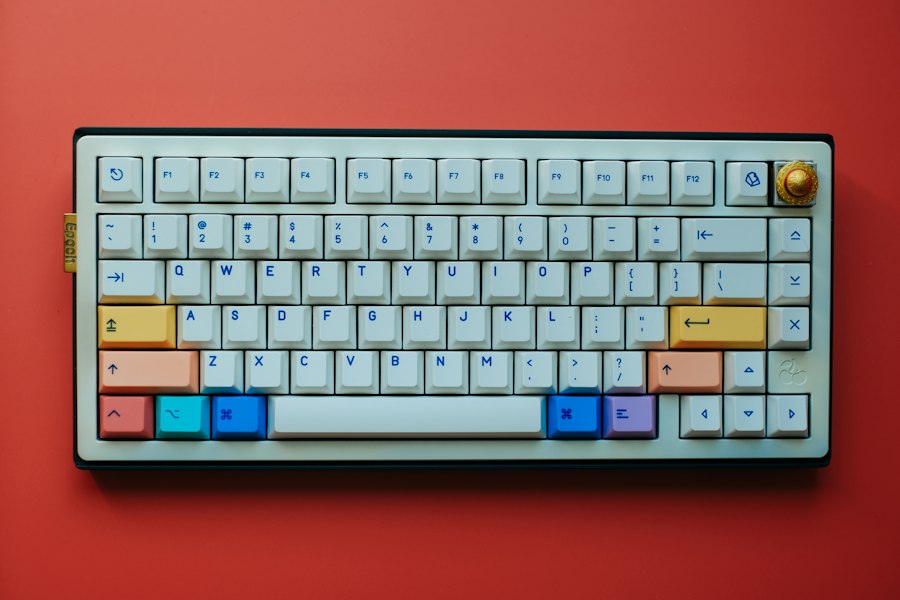
Now that you understand the nuances, let’s dive into the top contenders for your silent typing needs in 2024. These keyboards have been selected based on their proven quiet operation, build quality, features, and overall suitability for a professional shared environment. Each offers a unique blend of features, so you can find the perfect match for your workflow and aesthetic preferences.

- Wired, mechanical office keyboard with anodized metal plate: Equipped with our improved CHERRY MX2A switches available in 2 different variants - for an unmatched typing experience
- CHERRY MX2A SILENT RED switches: Smooth and quiet typing feel with linear switching characteristics (no click) and more than 50 million actuations per key. High-quality mechanical
- Practical: Tasteful white status LEDs in the CAPS LOCK, SCROLL LOCK, and NUM LOCK keys, as well as 4 additional keys for quick access to the calculator app and volume control
- Molded keycaps for comfortable typing and useful special functions: Full N-key rollover (all keys are read simultaneously) and anti-ghosting (no incorrect entries)
- Durable and robust: 2 sturdy, non-slip fold-out feet and laser-etched, abrasion-resistant keycaps - the lettering on the keys remains perfectly legible even after years of use

- Big Features on a Small Screen - Is there anything it can't display? Custom gif image, date. connection mode, WIN/MAC layout, battery status, etc.
- Knob Design- Adjust volume, connection mode, backlit brightness/speed, RGB mode/color, all it takes is just a twist or a click.
- BT5.0/2.4G/USB-C - Wireless keyboard with stable BT 5.0, hassle-free 2.4Ghz dongle plus USB-C wired mode set no limits about your keyboard connection.
- Gaming Friendly Top-Mount Design - Offers a superior tactile consistency, firm feeling, and better noice reducing creamy keyboard.
- Sound Absorbing Foams - Equipped with IXPE switch dampener pad, 2 layers of thicker sound-absorbing foams, silicone dampener pad, which reduces 40% noise and removes 80% hallow sound. Bringing creamy or thocky sounding, natural and clear feedback, no more cavities noise.

- Wired, mechanical office keyboard with anodized metal plate: Equipped with our improved CHERRY MX2A switches available in 2 different variants - for an unmatched typing experience
- CHERRY MX2A SILENT RED switches: Smooth and quiet typing feel with linear switching characteristics (no click) and more than 50 million actuations per key. High-quality mechanical
- Practical: Tasteful white status LEDs in the CAPS LOCK, SCROLL LOCK, and NUM LOCK keys, as well as 4 additional keys for quick access to the calculator app and volume control
- Molded keycaps for comfortable typing and useful special functions: Full N-key rollover (all keys are read simultaneously) and anti-ghosting (no incorrect entries)
- Durable and robust: 2 sturdy, non-slip fold-out feet and laser-etched, abrasion-resistant keycaps - the lettering on the keys remains perfectly legible even after years of use

- 【Gasket Mount with 5-Layer Sound Dampening】The gasket mount design replaces rigid screw connections with flexible, cushioned feedback. Five integrated layers of foam and silicone padding work together to absorb hollow noise and case ping, delivering clean, ultra-quiet acoustics that keep you focused on the game
- 【Tri-mode Connection & 8000mAh Battery】This creamy keyboard features 2.4GHz wireless, Bluetooth 5.0/3.0, and USB-C wired modes. Pair up to 5 devices and switch seamlessly between them. A massive 8000mAh rechargeable battery fuels marathon gaming sessions and weeks of use on a single charge
- 【Full-size 108-key Layout with 4 Dedicated Hotkeys】The 108-key anti-ghosting layout ensures conflict-free multi-key presses. Four dedicated hotkeys are pre-set to Mute, Calculator, Lock Screen, and Show Desktop — putting essential controls at your fingertips for seamless gaming and workflow
- 【Pre-lubed Linear Switches & Hot-swappable Socket】The K771 Redragon keyboard delivers creamy keystrokes with pre-lubed linear switches for reduced scratchiness and enhanced comfort. The hot-swappable socket supports nearly all 3-pin and 5-pin switches, allowing easy, solder-free personalization
- 【RGB Keyboard & PRO Software Support】Customize your battlefield with vibrant per-key RGB lighting and a spectrum of dynamic effects. With the dedicated software (available for download), you can design your own lighting modes, program macros, remap keys, and set up advanced key bindings — optimizing your workflow and in-game advantage

- Laptop-Style Typing Feel: Low profile red switches deliver smooth, quiet, linear keystrokes like a premium laptop keyboard but with mechanical precision. Built for fast, effortless all-day typing without noise or heavy resistance.
- One Keyboard, Four Devices: Connect via Bluetooth (2 devices), 2.4GHz wireless, or wired USB-A/C switch instantly without re-pairing. One cable works with any laptop or desktop right out of the box. No adapters needed.
- Full Size Layout for Productivity: 107-key layout with number pad, 15 shortcut keys, Copilot key, and built-in volume knob everything you need for spreadsheets, data entry, and media control without reaching for your mouse.
- Aluminum Build, Clean Backlight: Solid aluminum top case eliminates flex and wobble for stable, premium typing. White backlit keys with 3 brightness levels keep every key visible in dim rooms professional and distraction-free.
- Days of Wireless Use: The built-in 2000mAh rechargeable battery powers days of wireless typing on a single charge. No disposable batteries, no interruptions just clean, reliable cordless productivity wherever you work.

- 【Dreamy Rainbow Gaming Keyboard】K521 Gaming Keyboard Adopts a Different LED Backlight Design, Upgraded on the Traditional LED Backlight Effect, Making the Light More Penetrating, Giving You a More Dazzling Visual Effect, Making Your Gaming Process More Enjoyable
- 【One Touch Opens & Visual Feast】The K521 Red Dragon Keyboard has a One-Touch on/off Lighting Button for Added Convenience. It also has a Three-Position Adjustable Breathing Mode and a Four-Position Adjustable Brightness Lighting Mode
- 【Mechanical Feeling & Fast Tapping】The PC Keyboard Keys are Designed for Mechanical Feeling, Giving You a Better Feel During Use and the Ability to Trigger Keys Quickly, Allowing You to Win All Your Games
- 【19 Keys Anti-Ghosting Keyboard】Anti-Ghosting Ensures Every Button Can Be Triggered. This Allows You to Trigger Key Combinations In The Game Accurately, And Each Skill Can Be Accurately Released to Increase Your Winning Rate. Redragon K521 Will Be Your Perfect Partner
- 【12 Multimedia Combination Keys】The K521 Wired Gaming Keyboard is Equipped with 12 Multimedia Keys That Can Greatly Enhance Your Gaming/Office Efficiency and Make It More Convenient to Use

- One-Knob Simplicity - A single control knob adjusts backlight brightness and media playback, so you manage lighting and volume without memorizing extra key combos.
- Switch Devices Without Re-Pairing, Zero Lag - Tri-mode connectivity jumps between USB-C, Bluetooth, and 2.4GHz wireless, so you can move from PC to laptop to tablet without sacrificing speed.
- Creamy Cushioned Typing Feel, Swap-Ready Anytime - Gasket-mounted construction with 5-layer noise dampening gives a soft, silky, quiet bounce, and the upgraded socket accepts almost any 3-pin or 5-pin switch.
- Vibrant RGB in a Standout Blue Himmel Colorway - A striking blue-white finish sets your setup apart from the sea of black keyboards on most desks.
- Pro Software for Even Deeper Customization - Design your own lighting effects and program advanced macros with custom keybindings, so the board adapts to how you work or play.


- Triple-Mode Connectivity: The F99 silent mechanical keyboard supports BT 5.0, 2.4GHz wireless, and USB-C wired connections. It can pair with up to five devices at the same time, and simple FN shortcuts allow instant switching between them. Whether you're working, studying, or gaming, this flexible connectivity keeps you productive
- Hot Swappable & Pre-Lubed Silent Switches: This hot-swappable keyboard lets you change switches and keycaps easily without soldering, supporting both 3-pin and 5-pin options. The factory pre-lubed silent linear switches deliver smooth keystrokes, fast response, and noticeably reduced noise, making it an ideal choice for shared or office environments
- Gasket Structure & Five-Layer Sound Dampening: This thocky heavy mechanical keyboard features an advanced gasket structure, extended silicone pad, and PCB single-key slotting for better resilience and stability, resulting in a softer, more elastic hand feel. Five layers of filling material fill the gaps between PCB, plate, and switches, effectively reducing cavity noise and providing a solid typing feel
- 16.8M RGB Backlit & Music Rhythm Effects: This light up keyboard features 16.8 million RGB lighting colors with 16 preset effects to enhance your gaming atmosphere. It also supports 10 music rhythm lighting effects via driver, with adjustable brightness and speed using FN + key combinations. You can select single colors or turn off the backlight when not needed
- 99-Key Compact & Side-Printed PBT Keycaps: This 95% layout compact gaming keyboard saves desk space while keeping arrow keys and number pad for both work and play. Keys are macro programmable via driver for custom single-key or combo functions. N-key rollover and WIN key lock prevent accidental touches during intense games. The side-printed PBT keycaps use double-shot molding and heat sublimation, offering fade-resistant, sweat-proof durability with a cool gradient black look

- Triple-mode Connectivity & Long-lasting Battery:The KI99pro wireless gaming keyboard supports BT5.0/2.4GHz wireless/Type-C wired connections, with a stable signal transmission up to 10M. Compatible with Windows and macOS systems, it’s suitable for pc/laptops/smartphones, etc. Equipped 10,000mAh high-capacity battery, it reduces charging frequency and enhances usability, ensuring reliable performance during work and gaming
- 96% Layout & Multifunctional Knob:This wireless mechanical keyboard adopts a 96% layout, integrating most functional keys of a traditional full-size keyboard while incorporating an innovative knob design for efficient operation. Its compact size saves desk space and is ideal for efficient office work and immersive gaming experiences. Users can easily adjust volume, switch media playback, and regulate light brightness via the knob, making operations more convenient
- Gasket Structure & Five-layer Noise Reduction:This wireless keyboard features an advanced gasket structure combined with five layers of noise-reducing materials to effectively reduce key vibration and noise. It provides a solid and pure typing experience, offering users a smooth, creamy typing sensation and creating an immersive environment for extended gaming or office use
- Hot-swappable & Flexible Customization:KI99 pro mechanical keyboard Equipped with a 1.2mm flex-cut hot-swappable PCB and PC board, this keyboard supports convenient replacement of 3/5-pin switches without soldering, enabling personalized tactile customization. The flexible PC board delivers a unique “sound resonance” and enhanced typing experience. High-quality switches and lubrication components further boost the keyboard's smoothness and response speed to meet different users' preferences
- High-quality PBT Keycaps:This keyboard features PBT keycaps, dual-color injection molded for excellent wear/fade resistance. Characters stay clear, colors vibrant even with heavy use. Finely finished surface ensures comfortable, non-slip touch for smooth typing .
1. Keychron K Pro Series (e.g., K2 Pro, K8 Pro, K10 Pro)
Keychron has become a darling in the mechanical keyboard community, and their “Pro” series is particularly well-suited for your office needs. These keyboards often feature hot-swappable switches, allowing you to easily experiment with different silent switch types without soldering.
Why You’ll Love the Keychron K Pro
- Silent Switch Options: You can typically choose between Gateron G Pro Brown (tactile, quietest of the non-silent options) or you can opt for the Gateron G Pro Red (linear, smoother). For true silence, you’ll want to swap in your preferred silent switches like Silent Reds or Silent Browns.
- Gasket-Mounted Design: The Pro series utilizes a gasket-mounted structure, significantly improving the typing feel and acoustic profile by absorbing vibrations. This creates a softer, more muted sound.
- Acoustic Foams: Keychron includes layers of sound-absorbing foam inside the case, further dampening reverberations and producing a more satisfying “thocky” sound rather than a hollow ping.
- PBT Keycaps: Most Pro models come with durable double-shot PBT keycaps, which contribute to a lower-pitched sound and a pleasant texture.
- Connectivity Options: With Bluetooth 5.1 and USB-C connectivity, you get the flexibility to switch between multiple devices seamlessly, which is ideal for a multi-device setup.
- QMK/VIA Support: For the power user, QMK/VIA compatibility means you can fully remap keys, create macros, and customize lighting, tailoring the keyboard precisely to your workflow.
Considerations for Your Keychron
While excellent, you might find the plastic cases on some K Pro models less premium than full aluminum, though the internal dampening compensates well for acoustics. The stock stabilizers are decent but can be improved with your own lubrication.
2. Akko 3068B / 3098B (Silent Switches Edition)
Akko has carved out a niche for itself by offering feature-rich keyboards with excellent build quality at a competitive price point. Their “B” series, particularly when equipped with silent switches, is a strong contender for your quiet office.
Why You’ll Appreciate the Akko B Series
- Akko Silent Switches: Many Akko models come with their own proprietary silent switches, such as Akko Silent (linear) or Akko Silent (tactile). These are designed from the ground up for quiet operation, often featuring internal dampeners. You’ll be impressed by their quietness right out of the box.
- Solid Build Quality: You’ll find these keyboards feel robust and well-built, often with a good amount of heft for stability on your desk.
- Attractive Keycaps: Akko is known for its aesthetically pleasing and high-quality PBT keycap sets, which not only look good but also contribute to a deeper sound profile.
- Hot-Swappable Sockets: Like Keychron, Akko typically offers hot-swappable switch sockets, giving you the freedom to try other silent switches if you desire.
- Triple Mode Connectivity: Bluetooth, 2.4GHz wireless, and USB-C wired connections provide maximum flexibility for connecting to various devices without hassle.
Potential Akko Adjustments
While the Akko silent switches are good, you might find that adding a little lubricant to the stabilizers yourself can further enhance the acoustic experience and eliminate any slight rattle.
3. Leopold FC750R / FC900R (Silent Red/Brown Switches)
Leopold keyboards are renowned for their exceptional build quality, understated design, and fantastic typing experience, making them a premium choice for your shared office. They focus on refinement and a superior feel.
Why Leopold Stands Out for You
- Premium Cherry MX Silent Switches: Leopold exclusively uses genuine Cherry MX switches. For quiet operation, you’ll specifically look for models equipped with Cherry MX Silent Red (linear) or Cherry MX Silent Brown (tactile) switches. These are widely regarded as some of the best factory-made silent switches available.
- Exceptional Acoustics: Leopold is famous for its meticulous acoustic dampening. They often include a thick sound-absorbing pad inside the case, virtually eliminating hollowness and producing a very satisfying, subdued typing sound. You’ll immediately notice the difference.
- Thick PBT Keycaps: The stock keycaps on Leopold keyboards are some of the best you’ll find – thick, durable PBT with crisp legends, contributing significantly to the premium feel and quiet sound profile.
- Rock-Solid Build: These keyboards are built like tanks, with very little flex or creak. This robust construction helps prevent unwanted resonances.
- Minimalist Aesthetic: If you prefer a clean, professional, and unassuming look that blends seamlessly into any office environment, Leopold’s design language is perfect for you.
What to Know About Leopold
Leopold keyboards are primarily wired, which might be a drawback if you require wireless connectivity. They also don’t typically feature RGB lighting or hot-swappable switches, focusing instead on core typing excellence. You’re buying into a well-engineered, no-frills experience.
If you’re looking for a way to enhance your workspace while maintaining a peaceful environment, you might find it helpful to explore our article on the Top 10 Best Christmas 3D Stickers, which discusses how decorative elements can also contribute to a more enjoyable office atmosphere. In addition to investing in a quiet mechanical keyboard, adding personal touches can help create a more inviting and productive shared office space.
4. Varmilo VA Series (e.g., VA87M, VA108M) with Silent Switches
Varmilo, like Leopold, specializes in pre-built keyboards with a strong emphasis on aesthetics, quality, and an excellent typing experience. They offer a vast array of beautiful designs and switch options.
Why Varmilo is a Great Choice
- Cherry MX Silent Switches: Varmilo offers models with genuine Cherry MX Silent Red or Silent Brown switches, ensuring a consistently quiet and high-quality keypress.
- Artistic Design and PBT Keycaps: You’ll be hard-pressed to find a brand with more visually appealing stock keycap sets than Varmilo. Their PBT keycaps are thick, durable, and often feature unique colorways and themes, enhancing both aesthetics and acoustics.
- Robust Construction: Varmilo keyboards are very well-built, with solid cases that minimize flex and contribute to a pleasant sound profile.
- Sound Dampening: Similar to Leopold, Varmilo often incorporates internal dampening materials to further reduce reverberation and produce a more refined sound.
- Smooth Stabilizers: Varmilo typically ships with well-lubricated stabilizers right out of the box, ensuring a smooth and rattle-free experience for your larger keys.
Varmilo Considerations
Similar to Leopold, Varmilo keyboards are generally wired, and most models don’t offer hot-swappable switches or extensive RGB lighting. You’re investing in a refined, ready-to-use silent typing experience.
5. GMMK Pro with Silent Switches (Custom Build)
While not a pre-built “silent” keyboard out of the box, the Glorious GMMK Pro is an incredibly popular barebones kit that allows you to build your ultimate silent office keyboard. Its popularity means many people are doing this exact build.
Why the GMMK Pro is a Top Option for You
- Premium Gasket Mount: The GMMK Pro features a high-quality gasket-mounted design, providing a flexible and acoustically pleasing typing experience. This mounting style is exceptional for dampening sound.
- Hot-Swappable Switches: This is where the GMMK Pro truly shines for your silent needs. You can install any 3-pin or 5-pin MX-style silent switch you prefer – Cherry MX Silent Red, Gateron Silent Black, Kailh Box Silent Pink, Gazzew Boba U4, etc. This customization gives you ultimate control over the sound and feel.
- Aluminum Case: The heavy, CNC-machined aluminum case not only feels incredibly premium but also provides excellent acoustic dampening, preventing hollow sounds.
- QMK/VIA Compatibility: Full programmability allows you to tailor every key and layer to your exact specifications.
- Excellent Internal Dampening: The GMMK Pro includes multiple layers of foam for superb sound absorption, resulting in a deep, satisfying “thock.”
Building Your GMMK Pro
The GMMK Pro requires some assembly. You’ll need to purchase switches and keycaps separately. You’ll also likely want to manually lubricate the included screw-in stabilizers for optimal performance. While an investment in time and money, the result is a truly custom and exceptionally quiet keyboard tailored precisely to your preferences. This is for you if you’re willing to put in a little DIY effort.
6. NuPhy Air Series (e.g., Air75 V2, Air96 V2) with Silent Low-Profile Switches
NuPhy has made a splash with its attractive, low-profile mechanical keyboards, and their latest V2 iterations are particularly impressive for quiet office use, especially when paired with their silent switch options.
Why NuPhy Air V2 is an Excellent Choice
- Low-Profile Design: If you prefer a thinner, more ergonomic keyboard that sits lower to your desk, the Air series is perfect for you. This can reduce wrist strain over long typing sessions.
- NuPhy Low-Profile Silent Switches: NuPhy offers their own silent low-profile switches, such as the Gateron Low-Profile Silent Red or Silent Brown. These are specifically designed to minimize noise in a compact form factor.
- Gasket Mount: The V2 versions incorporate a gasket-mounted design, which is a significant upgrade for both typing feel and acoustic performance, especially for a low-profile board.
- Triple Mode Connectivity: You get 2.4GHz wireless, Bluetooth, and USB-C wired options, making it incredibly versatile for your multi-device setup.
- Robust Aluminum Frame: Despite their thinness, these keyboards feature a sturdy aluminum frame that enhances durability and reduces unwanted flex or resonance.
- Attractive Aesthetics: NuPhy keyboards are known for their modern, clean designs and vibrant keycap options, adding a touch of style to your workspace.
NuPhy Considerations
Low-profile switches inherently have less travel distance than full-size switches, which might take some getting used to if you’re accustomed to traditional mechanical keyboards. The silent low-profile switches are quieter than their non-silent counterparts, but you should manage your expectations; they won’t be as inherently “thocky” as a gasket-mounted full-size board with heavy linear switches.
7. HHKB Professional Hybrid Type-S
The Happy Hacking Keyboard (HHKB) is a legend among enthusiasts, known for its unique layout and incredibly satisfying Topre switches. The Type-S version specifically addresses the need for quiet operation.
Why the HHKB Type-S is Unique for You
- Topre Capacitive Switches: This isn’t a traditional mechanical keyboard; it uses Topre electro-capacitive switches, which offer a unique, extremely smooth, and incredibly satisfying “thocky” typing experience. The feel is often described as typing on soft, high-quality rubber domes with a satisfying tactility.
- Type-S Dampening: The “Type-S” designation means it comes with factory-installed dampeners, significantly reducing the sound of the upstroke and downstroke compared to standard Topre switches. The result is a very quiet, yet still deeply satisfying, sound. You’ll find it distinctive and pleasant.
- Unique Layout: The HHKB has a compact, programmer-centric layout that requires some adjustment. The control key is where Caps Lock typically is, and the Backspace is above the Enter key. Many find this layout incredibly ergonomic and efficient once learned.
- Premium Build Quality: HHKBs are exceptionally well-built, with a robust plastic case that contributes to its signature sound and feel.
- Bluetooth Connectivity: The Hybrid models offer Bluetooth connectivity, adding convenience for wireless office setups.
HHKB Considerations
The price point of an HHKB is significantly higher than most other options on this list. The unique layout can be a steep learning curve for some, and there are no hot-swappable switches (as it’s not an MX-style mechanical keyboard). This is a niche, premium product for those who truly appreciate the Topre typing experience and its unparalleled quietness.
8. Cooler Master CK721 with Silent Switches
Cooler Master, a well-known name in PC peripherals, offers the CK721, a compact 65% keyboard that can be a great silent option when paired with the right switches.
Why the Cooler Master CK721 is a Good Pick
- Hot-Swappable Sockets: You can easily swap in your preferred silent switches (e.g., Cherry MX Silent Red/Brown, Gateron Silent, etc.) to achieve the desired quietness.
- Compact 65% Layout: This layout is excellent for shared office spaces as it saves desk real estate while still retaining dedicated arrow keys and a few navigation keys, offering a good balance between compactness and functionality.
- Triple Mode Connectivity: Enjoy the flexibility of 2.4GHz wireless, Bluetooth 5.1, and USB-C wired connections.
- Aluminum Top Plate: The aluminum top plate adds durability and a premium feel, and also contributes to a more solid sound profile.
- Good Value: The CK721 often offers a good balance of features and quality for its price point.
Cooler Master Caveats
While hot-swappable, the CK721 doesn’t feature advanced mounting styles like gasket mount. You might want to consider adding your own foam dampening inside the case for optimal sound reduction, and lubing the stabilizers for the best experience.
9. Epomaker RT100 with Silent Switches
Epomaker has been making waves with its innovative and feature-rich keyboards, and the RT100 is a fantastic option for a quiet office, especially with its unique display feature.
Why the Epomaker RT100 is Noteworthy
- Gasket-Mounted Design: The RT100 features a gasket-mounted design, providing a softer, more muted, and comfortable typing experience crucial for sound dampening.
- Hot-Swappable Sockets: You can choose your preferred silent switches, whether they are Epomaker’s own silent switches, Gateron Silent, or Cherry MX Silent.
- Triple Mode Connectivity: Offering 2.4GHz wireless, Bluetooth, and USB-C wired, you have all the options you need for seamless connectivity.
- Integrated Mini-Display: A distinctive feature is the small LCD screen that can display time, date, battery level, and even custom GIFs, adding a touch of personality and utility without being distracting.
- Acoustic Foams: Multiple layers of sound-absorbing foam are typically included to reduce internal resonance and contribute to a deeper, less hollow sound.
- Full Size with Knob: If you need a full-size layout and appreciate the convenience of a volume knob, the RT100 delivers.
Epomaker Considerations
The overall aesthetic is modern and a bit gamer-leaning, which may or may not fit your office’s vibe. While the silent switches are good, you might still benefit from lubricating the stabilizers to get rid of any potential rattle.
10. Logitech MX Mechanical Mini (Quiet Tactile Switches)
Logitech is a giant in the peripheral market, and their MX Mechanical series brings their expertise in office productivity to mechanical keyboards. The Mini version is particularly attractive for shared spaces.
Why the Logitech MX Mechanical Mini is a Strong Contender
- Low-Profile Quiet Tactile Switches: Logitech has collaborated with Kailh to create their own “Quiet Tactile” low-profile switches. These are specifically designed for office environments, offering a noticeable tactile bump without the loud click, and with significant dampening. You’ll find these are impressively quiet for a mechanical switch.
- Sleek, Professional Design: The MX Mechanical Mini boasts a minimalist, professional aesthetic that blends perfectly into any office setup.
- Logi Bolt Wireless Connectivity: Utilizes Logitech’s secure and reliable Logi Bolt wireless technology, which is superior to standard Bluetooth for consistent, low-latency performance in busy office environments. Bluetooth is also an option.
- Multi-Device Pairing: Seamlessly switch between up to three devices with a press of a button, a key feature for productivity.
- Smart Backlighting: The backlighting automatically adjusts to ambient light and turns off when you move your hands away, conserving battery and reducing distractions.
- Excellent Battery Life: Known for its long battery life, reducing the frequency of recharging.
Logitech MX Mechanical Mini Caveats
As a mass-market offering, the switches are not hot-swappable, so you’re locked into Logitech’s “Quiet Tactile” switches. While very good, this limits customization. The keycaps are ABS, which can develop shine over time, though they feel premium.
Key Considerations When Making Your Final Decision
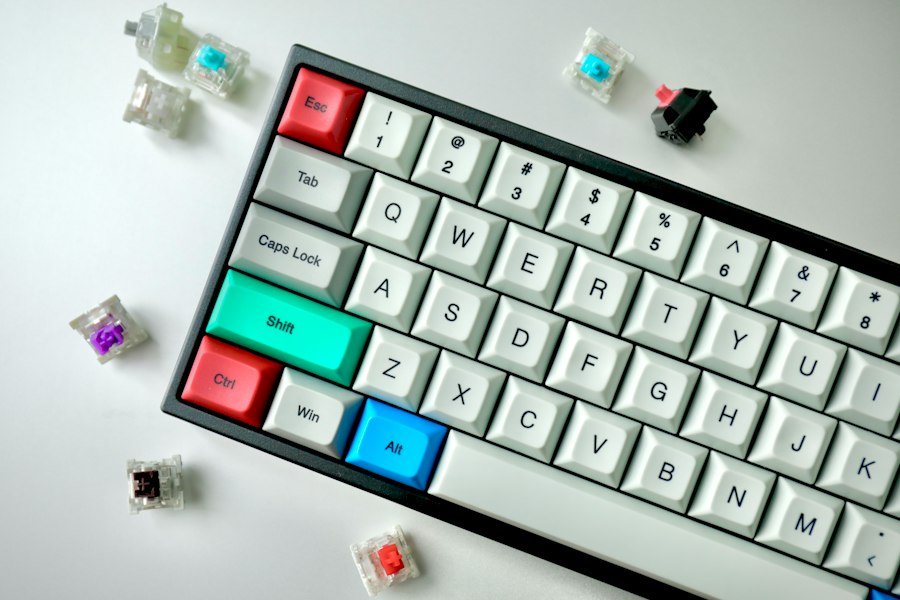
You’ve got a fantastic selection of quiet mechanical keyboards to choose from, each with its own strengths. But before you pull the trigger, take a moment to reflect on these crucial factors that will personalize your choice for the perfect office companion.
Layout Preferences and Desk Real Estate
Consider the physical footprint you need. Do you require a full-size keyboard with a numpad for data entry, or is a more compact 75%, 65%, or even 60% layout sufficient?
Full-Size (100%)
You’ll get all keys, including the numpad, function row, and navigation cluster. Great for extensive data entry or if you absolutely need every key. However, they take up the most desk space.
Tenkeyless (TKL) (80%)
This layout removes the numpad but keeps the function row and navigation cluster. It’s a popular choice for you if you need a good balance of functionality and desk space.
75% Layout
A compact version of a TKL, where the keys are squeezed together, often without gaps. It retains most keys, including the function row and arrow keys, but in a smaller footprint. This is a very common and popular choice for you.
65% Layout
Removes the function row and some navigation keys but keeps dedicated arrow keys. This is a great balance of compactness and usability for you if you don’t use function keys often.
60% Layout
The most compact layout, typically without a function row, arrow keys, or navigation cluster. These functions are accessed via a function layer. This is suitable for you if you have minimal desk space and are comfortable with memorizing key combinations.
Connectivity Options: Wired, Wireless, or Both?
Your workflow will dictate the best connectivity for you.
Wired (USB-C)
Offers the most reliable and latency-free connection. No battery worries. Many premium options are wired only. Ideal if you don’t move your keyboard much or prefer a straightforward setup.
Bluetooth
Great for a clean desk setup and connecting to multiple devices (laptop, tablet, phone). Bluetooth 5.0 or higher offers better stability. Keep in mind potential latency or interference in dense office environments.
2.4GHz Wireless (Dongle)
Often more reliable and lower latency than Bluetooth, especially in busy signal environments. Requires a USB dongle. Excellent for you if you need wireless but prioritize stability over multi-device Bluetooth pairing.
Triple Mode (Wired + Bluetooth + 2.4GHz)
The ultimate in flexibility, allowing you to choose the best option for any scenario. This is a common feature on many modern quiet mechanical keyboards.
Budget Considerations
Quiet mechanical keyboards range widely in price. You can find excellent value options under $100, while premium custom builds or niche products like the HHKB can easily exceed $300-$400. Define your budget early to narrow down your choices. Remember, sometimes investing a little more up front for features like gasket mount, better internal dampening, or premium switches can significantly enhance your long-term satisfaction.
Aesthetics and Backlighting
While functionality is key, the keyboard is a prominent part of your workspace. Do you prefer a sleek, minimalist design, or something with a bit more flair?
RGB Backlighting
Some keyboards offer per-key RGB backlighting, which can be customized to match your setup or provide subtle accent lighting.
White Backlighting
A more subdued and professional look, often with various brightness levels and simple effects.
No Backlighting
Many professional-grade keyboards forgo backlighting entirely, focusing solely on the typing experience and aesthetics. This is often the case with more traditional or premium-focused brands.
Software Customization and Programmability
For many, the ability to remap keys, create macros, or customize lighting is a significant advantage.
QMK/VIA Compatibility
This open-source firmware offers unparalleled control over your keyboard’s layout and functionality. If you want to customize every key, create multiple layers, and have complete control, look for QMK/VIA support.
Proprietary Software
Many manufacturers offer their own software for basic key remapping, macro creation, and lighting control. While generally less powerful than QMK/VIA, it’s often more user-friendly.
No Software
Some keyboards are “plug-and-play” with no accompanying software. This is great for simplicity but limits customization options.
By carefully considering these factors, you can confidently select the quiet mechanical keyboard that not only silences your keystrokes but also elevates your entire office typing experience in 2024. Your colleagues will thank you, and your productivity will soar in serene silence.
FAQs
1. Are mechanical keyboards louder than regular keyboards?
Yes, mechanical keyboards are generally louder than regular membrane keyboards due to the mechanical switches that produce a distinct clicking sound when pressed.
2. Can quiet mechanical keyboards still provide a tactile typing experience?
Yes, there are quiet mechanical keyboards that offer a tactile typing experience without the loud clicking noise. These keyboards use switches designed to reduce noise while still providing tactile feedback.
3. Do all quiet mechanical keyboards have customizable backlighting?
No, not all quiet mechanical keyboards come with customizable backlighting. Some models prioritize noise reduction and tactile feel over additional features like RGB lighting.
4. Are quiet mechanical keyboards suitable for shared office spaces?
Yes, quiet mechanical keyboards are ideal for shared office spaces as they minimize noise disruptions while still offering the benefits of a mechanical keyboard, such as durability and typing comfort.
5. Can I use a quiet mechanical keyboard for gaming?
Yes, quiet mechanical keyboards can be used for gaming as they offer the same performance and responsiveness as traditional mechanical keyboards, but with reduced noise levels to avoid disturbing others in a shared environment.