
You’re standing at the edge of a breathtaking vista, the wind gently tugging at your shirt, the vast expanse of the sky beckoning. In your hands, the weight of your drone offers a promise of aerial exploration. But as you reach for the controller, a familiar dilemma arises: will you opt for the familiar, all-encompassing screen of a dedicated drone controller, or the sleek, ubiquitous smartphone you already carry? The choice, seemingly simple, can dramatically impact your outdoor flying experience, dictating everything from maneuverability to your connection with the digital world. This article delves into the nuances of using a screen-based controller versus a smartphone for your drone, focusing on the practicalities of outdoor ease.
The Tactile and the Integrated: Understanding the Core Differences
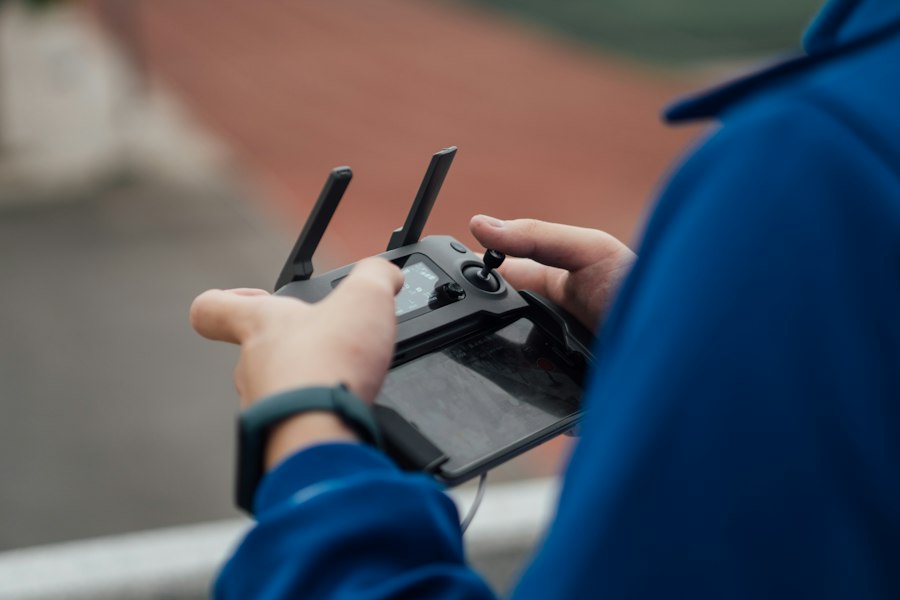
At the heart of this debate lies a fundamental divergence in design philosophy and user interaction. Dedicated drone controllers are purpose-built instruments, honed for the specific task of aerial control. They typically feature a physical layout designed for intuitive access to essential functions, often with joysticks that offer precise analog input. Their built-in screens, while sometimes smaller than a smartphone, are integrated into the device, providing a consistent and often brighter display optimized for outdoor visibility. This integration means fewer cables, less setup time, and a singular focus on the flight experience.
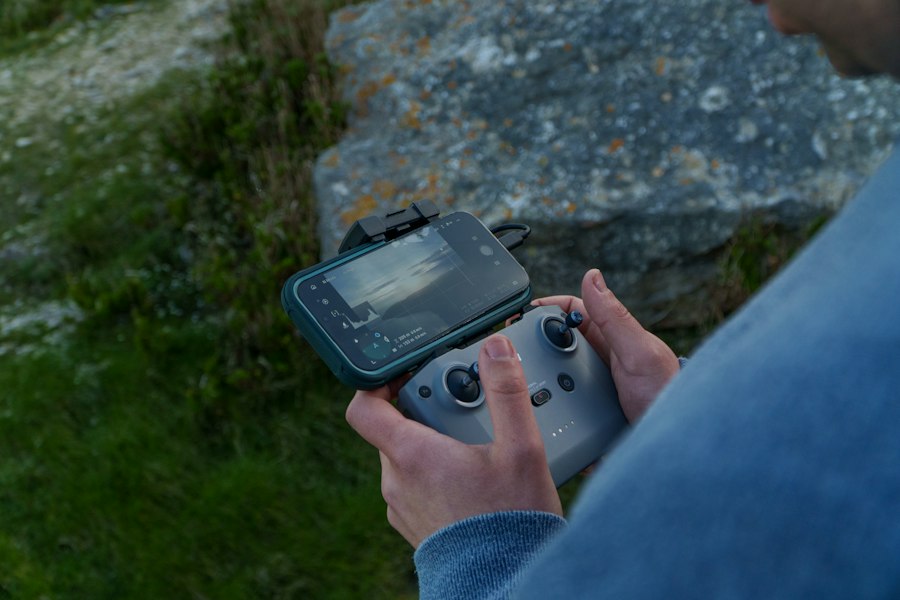
Smartphones, on the other hand, are general-purpose devices. Their strength lies in their versatility, their ability to connect to almost anything, and their high-resolution, vibrant displays. When paired with a drone, your smartphone transforms into the eyes and brain of your aircraft, displaying live video feeds, flight data, and acting as the interface for all camera controls and advanced settings. The challenge here is that the smartphone is a separate entity that needs to be securely mounted and connected to the controller, introducing potential points of failure and requiring you to juggle multiple devices.
Physical Ergonomics and Control Precision
The physical design of a drone controller is a significant factor in outdoor ease. Dedicated controllers are often molded to fit comfortably in your hands, with strategically placed buttons and switches. The joysticks are usually larger and more robust, offering a satisfying tactile response that allows for fine-tuned adjustments. This physical feedback is crucial for pilots who need to make subtle corrections in windy conditions or execute complex maneuvers. Imagine trying to perform a delicate hover in a gusty breeze; the precise, unyielding feel of a dedicated controller’s joystick can be the difference between a smooth landing and a less-than-ideal encounter with the ground.
Smartphones, while offering capacitive touchscreens for highly precise digital input, lack this tactile feedback. While some apps offer on-screen joysticks, they can feel less responsive, especially with sweaty fingers or in bright sunlight where touch accuracy can be compromised. Furthermore, the act of looking down at a phone screen to find and activate virtual buttons can be a distraction, pulling your attention away from the immediate flight environment and the drone itself. The physical constraints of holding a phone and controller simultaneously can also be awkward, leading to fatigue during longer flights. You might find yourself fumbling for buttons, interrupting your flow and diminishing the sense of control.

- Designed as a replacement spare part for drone quadcopter remote control systems.
- Equipped with a screen controller for stable operation and clear parameter display.
- Compatible with corresponding drone quadcopter models for normal function connection.
- Made of durable material to support long-term daily use of the drone.
- Lightweight structure, easy to install and replace as a drone accessory.

- 5.0" Built-in HD Display – Equipped with a bright 5.0-inch screen, allowing you to view flight information and aerial footage directly on the controller without connecting a smartphone.
- Designed for 710 GPS Drone – Specifically developed for the 710 GPS Drone, providing stable signal transmission, responsive control, and seamless compatibility with your aircraft.
- Reliable Long-Range Control – Supports smooth command transmission for takeoff, landing, flight adjustments, camera operation, and intelligent flight functions during outdoor flights.
- Ergonomic and User-Friendly Design – Comfortable dual-joystick layout with clearly arranged function buttons helps pilots maintain precise control and an enjoyable flying experience.
- Ideal Replacement Controller – Perfect as a replacement or backup controller for your 710 GPS Drone. Great for travel, outdoor adventures, aerial photography, and recreational flying.

- Cinematic 4K/60fps HDR Video & 48MP Photos: Captures smooth 4K/60fps HDR video and detailed 48 MP photos with a 1/1.32" CMOS sensor and f/1.7 aperture, The drone with camera for adults delivers clearer, more vibrant footage for travel, hiking, family activities, outdoor adventures, and everyday aerial photography
- 5.5" HD Touchscreen Remote — See Every Detail, Even in Direct Sunlight: 700-nit brightness and 60Hz display delivers crystal-clear live view outdoors. No phone needed — just tap, fly, and capture with confidence
- Under 249g & Travel Ready: Under 249g and easy to pack, the drone with camera for adults is built for grab-and-go flying without adding bulk to your bag. Take it on vacations, hikes, road trips, and weekend adventures to capture more of he moments you actually want to remember
- 360° Obstacle Avoidance for More Confident Flying : 360° obstacle sensing and Smart Return to Home support safer, more controlled flights when conditions get more challenging. That means less stress while exploring parks, scenic trails, open fields, or new places on your next trip
- Stable 9.32-Mi Long-Range Transmission with 1080p/60fps Live View: Enjoy responsive 1080p/60fps live view with SkyBridge transmission up to 9.32 miles, giving you a clear, stable feed while framing shots in wide-open landscapes or busy outdoor environments. Perfect for sightseeing, nature exploration, and capturing cinematic perspectives with greater control


- 【2.8" HD LCD Screen】Live Video is transmitted directly to the screen on controller for real-time viewing.The integrated screen on the controller eliminates the need for a smartphone, ensuring seamless and hassle-free operation.This beginner drone is great for outdoor/indoor fun.The remote control supports storage expansion up to 32GB. (An SD card is required to save images and videos, not included)
- 【1080P HD FPV Camera Drone】Mini drone equipped with 90°manual adjustable 1080P HD Wi-Fi camera to take better aerial photos and videos and save them to your phone directly with APP; In addition, with FPV transmission, you can see fabulous scenery in live videos on the app & screen.
- 【Best Drone Toy for Kids & Beginners】Fly this kids drone is magically simple, just tap the One Key unlock button to start the fly; There are different speed switch, 3-speed modes help the beginners to find his/her way. Optical Flow can maintain the drone at a certain height, which makes it so easy to control and take high quality footage, suitable for kids and beginners.
- 【Safe Design & Long Flying Time】 Features with low power alarm, one button land, and 4 propeller guards to ensure a safe flight of the drone. The extra set of batteries that is included, 2PCS 550mAh and UL-certified batteries support up to 18-21 mins, charge safer and fly longer.
- 【Multiple Fun Flights Mode】The kids drones have multiple control modes: remote controller/APP. Using the App can experience gravity sense mode which allows the user to control the drone by holding and moving the smart phone accordingly. Trajectory Flight mode allows the user to draw a route on your app then the drone will fly along the path you set. Add much fun to your flight!

- Restores & Enhances Functionality – Replaces worn or damaged components to bring back original performance, often improving efficiency or ease of use.
- This foldable sun hood attaches to your RC-N1 controller, reducing screen glare for better phone monitor visibility in bright outdoor conditions.
- Designed for Mavic 3, Mini 2, Air 2, Air 2S, and Mini 3 Pro controllers, the sun shade folds flat for easy storage.
- The phone holder keeps your device secure while the sun hood blocks direct sunlight from the screen.
- Quick to set up and remove, the sun shade stays secure on the controller during use and comes off when not needed.

- Drone with screen on the controller: Skip the hassle of phone apps. The F417PRO drone with screen on the controller allows you to fly instantly in your backyard. Featuring Type-C fast charging and up to 32GB storage, this drone makes flying seamless.
- Drone with camera for adults: Perfect for road trips and family outdoor adventures, this premium drone with camera features a 90° adjustable lens. It captures stunning aerial views, making it a must-have drone with camera for adults to record memories.
- FPV drone with night vision camera: Experience live vistas with this high-tech fpv drone. Engineered as a reliable drone with night vision camera, it lets you explore the skies during sunset or low-light conditions with crystal-clear transmission.
- Brushless Power & Registry-Free: Take it to any park! Weighing under 249g, it requires no FAA registration. Powered by a 10000RPM motor, it ranks among the best drones for adults and drones with camera for adults 4k search categories for stable flights.
- Compact Design for Family Adventures: Pack it easily for camping trips. This pocket-sized mini drone is built durable yet lightweight. As an agile mini drone with camera, it provides endless entertainment and safe flights for the entire family.

- Upgraded Screen Remote Control, No Phone Required:Equipped with a dedicated screen transmitter, watch real‑time aerial footage directly. Built‑in full function buttons support one‑key takeoff/landing, 360° flip and speed switch, easy for new beginners.
- Electric Adjustable Dual Camera & 50X Digital Zoom:Vertically adjustable dual‑lens design captures low‑angle, front and overhead views. 50X zoom magnifies distant scenery. Gesture & face capture help you take creative aerial photos and videos.
- Obstacle Avoidance & Optical Flow Stable Hover:Intelligent obstacle sensing system automatically detects barriers to avoid crashes. Optical flow positioning keeps steady flight indoors & outdoors, greatly reduce crash risk for novice pilots.
- Rich Intelligent Flight Modes via APP:Unlock more advanced functions: custom flight path, gravity sensor control, auto return‑home and emergency stop. Switch dual‑camera shots with one tap to create stunning aerial footage easily.
- Foldable Compact Body & 2 Extra‑Life Batteries:2 rechargeable batteries extend your flight time. Lightweight foldable fuselage is portable for travel, camping and outdoor shooting. It is a wonderful gift choice for drone starters & photography lovers.

- GPS Drone with 4.5 Inch Screen on Controller: The GPS drone long range remote features a 4.5 inch HD display for real-time transmission, instantly previewing footage and capturing every moment. Stay in full control of your drone’s flight with crystal-clear visuals.
- GPS Drones with Camera for Adults: Experience crystal clear aerial footage with our advanced camera on GPS drone. Capture vibrant landscapes with professional color accuracy. Every flight delivers cinema-quality visuals perfect for content creation.
- Follow Me Drone with Camera: Elevate your storytelling with smart auto-tracking features. This camera drone offers Follow Me, Waypoint Navigation, and Orbit Mode, effortlessly locking onto your movements for smooth, cinematic footage—perfect for vlogging, biking, hiking, and beyond.
- Precision GPS Navigation: Advanced GPS for drone professional with camera ensures rock solid positioning and automatic return. Ideal for professional photographers and outdoor enthusiasts, it guarantees worry free operation even in challenging environments.
- Extended Operation Range: This drone with camera wind resistant for adults unlocks new creative possibilities with 250m mapping capability and 400m control distance, Explore expansive areas while maintaining stable HD transmission for uninterrupted aerial photography.
Screen Real Estate and Visual Clarity
When you’re soaring hundreds of feet in the air, the quality of your visual feed is paramount. Dedicated drone controllers often come with built-in screens that, while sometimes smaller than a flagship smartphone, are specifically designed for outdoor use. They often boast higher brightness levels and better anti-glare coatings, ensuring you can clearly see your live video feed and crucial flight data even under the harsh glare of the sun. This dedicated display means you’re not relying on your phone’s battery to power your drone’s FPV (First-Person View) feed.
Smartphones, with their stunning AMOLED or OLED displays, offer vibrant colors and incredible detail. This can be a huge advantage for reviewing photos and videos captured by your drone, or for intricate camera work. However, their brightness levels, while excellent indoors, can sometimes struggle in direct sunlight. You might find yourself constantly shielding the screen with your hand, squinting to make out details, or experiencing eye strain from trying to decipher a washed-out image. Moreover, running the drone’s video feed on your smartphone can significantly drain its battery, potentially cutting your flight time short if you’re not prepared with a power bank.
When considering the best tools for outdoor drone flying, it’s essential to evaluate the advantages of different control methods. A related article that delves into budget-friendly options for outdoor activities is titled “Best Hoverboards Under $250.” This article provides insights into affordable hoverboards that can complement your drone flying experience, offering a fun way to navigate the terrain. For more information, check out the article here: Best Hoverboards Under $250.
The Convenience Conundrum: Setup, Portability, and Power
The ease of getting your drone into the air and keeping it there is a critical aspect of outdoor enjoyment. Here, the lines between screen-based controllers and smartphones become even more blurred, with each offering distinct advantages and disadvantages.
Pre-Flight Preparations and Connectivity
A dedicated drone controller, by its very nature, is ready to go. You power it on, and it communicates directly with your drone. The setup is typically streamlined, involving pairing the controller to the drone, which is usually a quick and straightforward process. There are no apps to launch, no Bluetooth connections to establish, and no cables to fiddle with. This immediacy is invaluable when you’re eager to capture a fleeting moment or when the weather is changing rapidly. You’re less likely to be wrestling with software glitches or Wi-Fi signal drops that can sometimes plague smartphone connections.
Using a smartphone as your controller often involves more steps. You need to ensure your drone’s app is installed and updated. You’ll then need to connect your smartphone to the drone’s Wi-Fi network or via a USB cable to the controller. This process, while usually reliable, can sometimes be prone to hiccups. If your phone’s operating system decides to push an update at an inconvenient moment, or if there’s a conflict with another app, you could find yourself delaying your flight. The need to physically connect your phone to the controller via a cable can also be a minor annoyance, especially in breezy conditions where the cable might snag or pull.
Portability and the All-in-One Dream
The argument for smartphones in terms of portability is undeniable. You’re likely already carrying your smartphone, so the marginal weight and bulk of adding a drone controller mount is often negligible. This “all-in-one” approach means you have fewer items to pack, fewer things to keep track of, and a potentially more compact setup for spontaneous flights. Imagine being out for a hike and spotting a fantastic viewpoint; with a smartphone setup, you can quickly deploy your drone without needing to rummage through a separate bag for a dedicated controller.
Dedicated controllers, while often foldable and designed for portability, are still an additional item. They can add significant bulk and weight to your backpack, especially larger, more feature-rich models. While many come with their own carrying cases, it’s still an extra piece of gear to manage. For the casual flyer who prioritizes minimal gear, the smartphone often wins this round. However, for the serious aerial photographer or videographer, the ergonomic benefits and enhanced control of a dedicated controller might outweigh the slight portability compromise.
When considering the best tools for flying drones outdoors, many enthusiasts often debate whether a dedicated drone controller with a screen or a smartphone is the better option. A recent article explores this topic in depth, providing insights into the advantages and disadvantages of each choice. For those interested in futuristic technology, you might also enjoy reading about innovative footwear in another related article that discusses the top ten Back to the Future shoes, which feature LED flashing lights. You can check it out here.
Battery Life and Power Management
This is perhaps the most critical consideration for outdoor ease. Drones themselves consume significant power, and the device you use to control them and view their feed also needs to be powered. Dedicated drone controllers usually have their own internal batteries, designed to last for several hours of continuous use. These batteries are often larger and more robust than those found in smartphones. Furthermore, because their primary function is drone control, their power consumption is optimized for that task.
Smartphones, on the other hand, are multi-tasking powerhouses. Running a high-resolution video feed from a drone, coupled with GPS, Wi-Fi, and potentially other background apps, can be a serious battery drain. You might find yourself needing to carry a portable power bank to keep your phone charged throughout your flying session. This adds another item to your kit and another potential point of failure – what if your power bank malfunctions? While some drone controllers have the ability to charge your phone via a USB connection, this is still drawing power from the controller’s already limited battery. For extended flights or remote locations where charging opportunities are scarce, the battery longevity of a dedicated controller is a significant advantage.
The Software Interface: Functionality and User Experience
Beyond the hardware, the software that governs your drone’s flight and camera operations plays a crucial role in how you interact with your aircraft. Both dedicated controllers and smartphones rely on companion apps, but the user experience can differ significantly.
App Ecosystem and Updates
Dedicated drone controllers are typically tied to a specific manufacturer’s app. This app is often designed with a clean, intuitive interface that prioritizes essential flight controls and camera settings. Updates are usually released regularly to improve performance, add new features, and address any bugs. The advantage here is a consistent, predictable user experience. You know what to expect, and the app is generally optimized for the controller’s hardware.
Smartphones, with their open ecosystems, offer a wider range of app choices. While you’ll primarily use the manufacturer’s official app, there are also third-party apps that can offer advanced flight planning, cinematic modes, or even specialized camera control features. This flexibility can be appealing to users who want to push the boundaries of their drone’s capabilities. However, it also introduces a potential for fragmentation. Different apps might have different interfaces, require different setup procedures, and may not always be as stable as the manufacturer’s native application. Ensuring compatibility between your phone’s operating system, the drone’s firmware, and any third-party apps can sometimes be a technical hurdle.
Advanced Features and Customization
Modern drones offer a plethora of advanced features, from intelligent flight modes like “Follow Me” and “Orbit” to complex camera settings. Dedicated controllers often have dedicated buttons or intuitive menu systems for accessing these features quickly. This allows for seamless transitions between different flight modes without having to navigate through multiple sub-menus on a touchscreen.
Smartphones, with their large touchscreens, can offer a more visually rich interface for accessing these advanced features. You can often see more options laid out clearly, with detailed graphical representations of flight paths or camera settings. This can be particularly helpful for beginners who are still learning the intricacies of drone operation. However, the reliance on touch input can sometimes make it slower to access these features in real-time, especially when you need to react quickly to changing conditions. The ability to customize the controller’s buttons on a dedicated device can also be a significant advantage for experienced pilots who want to tailor the controls to their specific flying style.
Live Feed Quality and Data Overlay
The quality of the live video feed (FPV) is crucial for both types of control. Dedicated controllers often have optimized antennas and transmission systems to provide a stable, low-latency video stream. The accompanying screens are designed to display this feed clearly, often with an overlay of essential flight data such as altitude, speed, battery level, and GPS signal strength. This data is vital for safe and informed flying.
Smartphones, when connected to a drone, also provide a live video feed. The high-resolution displays of modern smartphones can offer incredibly sharp and detailed FPV. However, as mentioned earlier, outdoor visibility can be an issue. Furthermore, the data overlay might be less customizable or less prominently displayed compared to dedicated controller apps. Some users might find themselves wishing for more granular control over what information is displayed on their screen, and dedicated controller apps often provide this flexibility. The potential for lag or dropped frames in the video feed can also be a concern with smartphone-based control, particularly in areas with Wi-Fi interference.
The Verdict: Which is Right for Your Outdoor Adventures?
Ultimately, the choice between a dedicated drone controller and a smartphone for outdoor flying boils down to your individual needs, priorities, and flying style. There’s no single “best” answer, but understanding the strengths and weaknesses of each will help you make an informed decision.
For the casual recreational flyer who enjoys occasional flights in parks or scenic locations and prioritizes simplicity and portability, a smartphone setup might be perfectly adequate. You already have the device, and for basic flight and camera operation, it can perform admirably. The ease of not carrying an extra piece of equipment can be a significant draw. Just be mindful of your phone’s battery life and invest in a good mounting system for your controller.
However, if you’re an aspiring aerial photographer, a seasoned videographer, or a pilot who demands precision, reliability, and extended flight times, a dedicated drone controller will likely be the superior choice. The tactile feedback, superior screen visibility, longer battery life, and streamlined user experience contribute to a more professional and enjoyable flying session. The investment in a dedicated controller is an investment in better control, greater confidence, and ultimately, more successful and satisfying aerial adventures.
Consider your typical flying environment. Are you often in bright sunlight? Do you fly in areas with potential Wi-Fi interference? Do you plan on long, extended flights? These factors can all sway the decision. Perhaps the ideal scenario for some is to have both options available – the convenience of the smartphone for quick, spontaneous flights, and the robust performance of a dedicated controller for more serious endeavors. The drone industry continues to evolve, and we may see even more innovative solutions that bridge the gap between these two distinct approaches, offering the best of both worlds for the discerning drone pilot. Until then, weigh your options carefully, and choose the controller that will best unlock your outdoor flying potential.